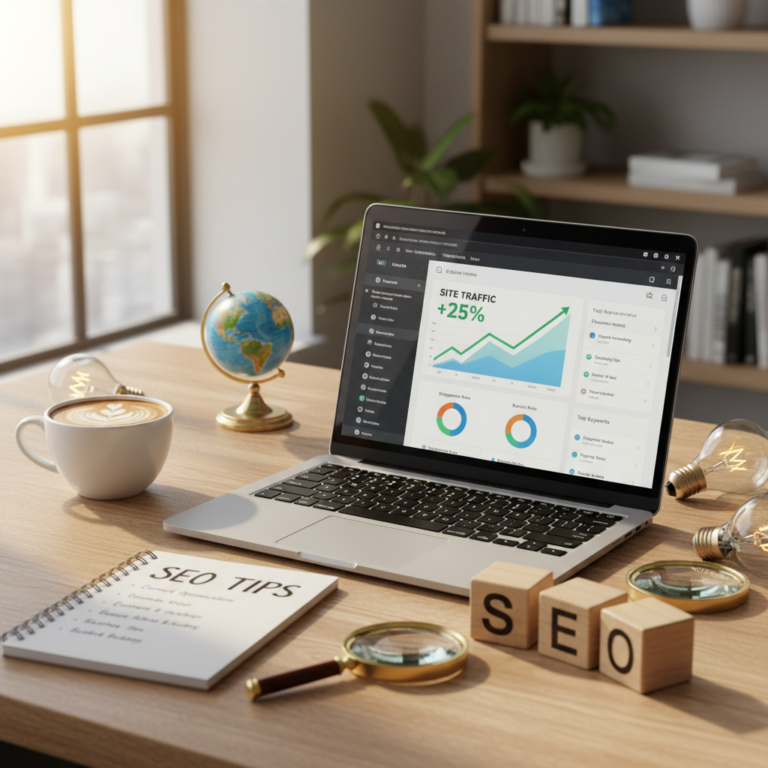
Ultimate Guide to WordPress SEO
WordPress SEO Guide: Your Ultimate Resource for Mastery
Understanding WordPress SEO isn’t just for the pros. It’s crucial for anyone who wants to make their site stand out. I remember my first WordPress site—a complete mess, yet I was thrilled. But when I looked up my site on Google… nothing. Crickets. SEO felt like this intricate puzzle I’d never solve. If you’ve ever felt that confusion, you’re not alone! It’s time to tackle the fundamentals of search engine optimization.
Understanding SEO: The Basics
Let’s break it down. Search Engine Optimization (SEO) is all about making your site visible to search engines like Google. At its core, it’s about communicating with these platforms so they understand your content. Noticing a pattern? Your keywords are like breadcrumbs leading search engines to your site. This means that considering what potential visitors might search for is essential. Whether you’re writing product descriptions or blog posts, strategically placed keywords make all the difference.
But it doesn’t stop there. Your content needs to resonate—both with search engines and your readers. Engaging, high-quality material paired with strong SEO tactics is a winning combination. This means delivering value through your writing while keeping an eye on those pesky meta descriptions and title tags.
Setting Up Your WordPress Site for SEO Success
Setting up your WordPress site properly is your launchpad. Start by picking a reliable hosting provider. Trust me, nothing kills your SEO faster than a slow or unreliable host. Look for one with a good reputation for speed and uptime.
Next up, don’t skimp on security. An SSL certificate isn’t just for looks; it adds that ‘S’ in HTTPS, signaling trust. Straightforward, right? But it’s key to your site’s credibility and can positively affect your rankings.
And permalinks… oh boy. Sounds technical, huh? But trust me, paying attention to these simple URL structures can benefit your visibility. Keep them short, descriptive, and keyword-rich. They serve a dual purpose: they make it easier for search engines to index your content and help with user experience!
Choosing the Right SEO Plugin: Yoast SEO vs. Rank Math
Now, onto one of the most debated topics: which SEO plugin to use? Yoast SEO has been the granddaddy of WordPress SEO plugins for over a decade. It’s user-friendly, featuring a traffic light system that helps you see your on-page SEO at a glance. With over 10 million active installations, it’s a solid choice.
However, Rank Math is gaining steam with over 4 million users and some impressive features even in its free version, like advanced schema markup options that are distinctly valuable. So, which should you choose? Think about your needs. Yoast is great for beginners wanting a simple setup while Rank Math offers robust features that might suit more technical users or those wanting to push their SEO further.
On-Page SEO: Crafting Content That Ranks
Creating compelling content is only part of the equation. On-page SEO refers to the stuff you can control on your webpages. Ensuring your titles, headings, and meta descriptions align with the keywords you’re targeting is essential. These elements guide both readers and search engines.
For instance, start with a catchy title that includes your primary keyword. It draws readers in and tells Google what your content is about. Then there’s the magic of meta descriptions—don’t underestimate their power! Even if they don’t directly influence rankings, an enticing meta can increase your Click-Through Rate (CTR).
Internal linking is another powerhouse in your SEO arsenal. It not only helps with navigation but also spreads link equity across your pages. Want to keep visitors on your site longer? Offer valuable internal links that guide them to relevant pages.
Technical SEO: Ensuring Your Site’s Health
Technical SEO is like maintaining your car—it ensures everything runs smoothly! This involves optimizing your site’s speed, ensuring it’s mobile-friendly, and keeping an eye on Core Web Vitals. Let’s touch on each of these.
To improve your WordPress site speed, consider using a caching plugin. These plugins serve cached versions of your pages to users, significantly decreasing load times. Remember, site speed impacts user experience, and a slow site can lead to high bounce rates.
Then, there’s mobile optimization—don’t even think about cutting corners here. As more users browse via smartphones, having a mobile-friendly site isn’t just a plus; it’s a must. Google prioritizes mobile-first indexing, meaning it primarily uses the mobile version of your content for indexing and ranking.
Lastly, Core Web Vitals focus on essential metrics like loading speed, interactivity, and visual stability. Keeping tabs on these ensures users enjoy a seamless experience on your site.
Speed Optimization: Making Your Site Lightning Fast
Speed is critical. You want your site to load in a snap. Start with image optimization. Large images can balloon load times. Use tools like Smush or ShortPixel to compress your images without losing quality.
Considering a Content Delivery Network (CDN) might be the best investment you make. CDNs work by distributing your content across multiple servers worldwide, so users get your site faster, no matter where they’re located.
Oh, and before I forget—don’t neglect compression techniques. Gzip compression can drastically reduce the size of your files. Just a few tweaks here will make a noticeable difference!
Mobile Optimization: Reaching Users on Any Device
Mobile optimization isn’t just checking a box; it’s about offering a great user experience, no matter what device your visitors are using. Responsive web design adjusts your site’s layout based on the viewer’s device, while mobile-first design starts with smartphones and scales up.
Check whether your site passes Google’s Mobile-Friendly Test. Then, ensure your navigation is straightforward—fewer clicks means a better experience. I remember getting frustrated with sites that buried their content behind several menus. Don’t be that site!
Building Authority: Link Building Strategies
If content is king, backlinks are the crown jewels. They signal to search engines that your site is reputable. But acquiring them isn’t as easy as it sounds.
Guest blogging is one effective way to build backlinks. Write valuable content for reputable sites in your niche, and you’ll often get a backlink in return. Creating relationships within your industry can also help naturally attract backlinks over time. So, engage with fellow bloggers, participate in discussions, and don’t be afraid to share your own expertise.
Monitoring and Analyzing Your SEO Performance
Now that you’ve set everything up, you must keep an eye on performance. Google Analytics is your go-to for tracking visitors, user behavior, and more. Understanding how people interact with your site and content can offer insights for improvement.
Set up Google Search Console too! It gives you an inside view of how your site performs in Google searches. Discovering which keywords drive traffic helps refine your strategies.
Using data effectively means adjusting your content and optimizing issues as they arise—after all, SEO is not a set-it-and-forget-it job.
Common WordPress SEO Mistakes and How to Avoid Them
Sometimes, the simplest mistakes lead to missed opportunities. Overlooking meta tags is number one. Forgetting to update title tags or write meta descriptions? That’s like making a sandwich without bread. They are vital for telling both users and search engines what your content is about.
Ignoring keyword research, oh boy. Skipping this vital step can seriously stunt your site’s growth. Invest time in researching and understanding what your audience is searching for to align your content.
Lastly, don’t let your old content gather dust. Search engines favor fresh content. Regularly revisiting and updating your articles can breathe new life into your SEO efforts—and it may even rekindle some of that magic from when you first published.
Conclusion: Taking Your WordPress Site to the Next Level
So, there you have it—a comprehensive introduction to mastering WordPress SEO. By leveraging the right strategies, plugins, and practices, you can vastly improve your site’s visibility and user experience. Remember, the goal isn’t just to get clicks; it’s to offer value!
Now, go ahead and put this knowledge to work. Each website is unique—adapt these principles to what suits your specific situation best. I’d love to hear your tales of triumph or strategy mishaps. What’s been your hardest lesson learned in the world of WordPress SEO? Share your thoughts below!
Frequently Asked Questions
1. How long does it take for SEO changes to take effect?
Generally, it can take weeks to months for you to see significant changes. SEO is a long-term game!
2. What is the best SEO plugin for WordPress?
Yoast SEO and Rank Math are both stellar options. Your choice depends on your unique needs.
3. Do I need a separate sitemap for my WordPress site?
No, many SEO plugins automatically generate sitemaps. But you can still create one if you want it customized!
4. Can I do SEO without coding?
Absolutely! Many plugins handle the heavy lifting, so coding isn’t necessary for basic SEO.
5. What is the importance of backlinks?
Backlinks are vital for SEO because they signal to search engines that your content is trustworthy and authoritative.