Effective WordPress Performance Optimization Techniques
WordPress Performance Optimization Techniques
Introduction: Understanding the Importance of WordPress Performance
In a digital world where every second counts, the performance of your website can significantly impact user experience, conversion rates, and SEO rankings. If you’ve ever been greeted with the dreaded “White Screen of Death” at 2 AM or watched potential customers abandon your site due to lengthy load times, you know firsthand how frustrating it can be.
WordPress, which powers over 43% of all websites on the internet, can be a great platform, but it often needs a little tweaking to reach optimal performance levels. In this guide, we’re here to help you understand the common performance issues that plague WordPress, and provide effective, plain-English solutions to enhance your site’s speed and reliability.
Common Performance Issues and Their Impact on User Experience
Before diving into specific optimization techniques, let’s briefly discuss the common performance issues you might encounter:
– Slow loading times: A mere 1-second delay in page load time can reduce conversions by up to 7%. If your site takes too long to load, visitors may leave before it even fully renders.
– Server errors and downtime: Whether it’s a server overload or configuration issue, frequent site downtime can damage your credibility and send your visitors running to your competitors.
– Excessive resource usage: Poorly optimized themes and plugins can lead to high resource consumption, slowing down your site and increasing operational costs.
It’s clear that addressing these issues head-on is crucial for any successful WordPress site. Now, let’s explore the eight key WordPress performance optimization techniques that can help you achieve a smooth, fast-loading website.
1. Choose the Right Hosting Environment
The foundation of any well-performing website starts with the right hosting provider. Shared hosting may be tempting due to its low cost, but it often leads to slower site performance due to resource limitations and high traffic on shared servers. Consider investing in:
– Managed WordPress Hosting: These hosting providers specialize in WordPress, offering proactive updates and optimized servers that enhance performance.
– VPS or Dedicated Hosting: If you have a larger site or high traffic, these options provide more resources and greater control, directly impacting your site’s speed and stability.
2. Implement Effective Caching Strategies
Caching is the process of storing copies of files or pages temporarily to reduce load times for future requests. By implementing caching solutions, you can dramatically cut down your site’s load time by 50-90%. Here are the main types of caching to consider:
– Page Caching: Saves a static version of your pages, which is served to users instead of generating the page dynamically with each request.
– Browser Caching: Instructs browsers to store certain elements of your site for a specified period, reducing load times on repeat visits.
– Object Caching: Makes repeated database calls quicker by storing the results, which can significantly reduce server load.
Popular caching plugins include WP Super Cache and W3 Total Cache. They’re user-friendly and can take your site’s loading performance to new heights.
3. Optimize Images and Media Files
Images often make up a significant percentage of a webpage’s total weight. Without proper optimization, they can severely hinder load times. Here’s how to effectively optimize your media files:
– Use the right file formats: Use JPEG for photos, PNG for graphics, and WebP for modern browsers where possible.
– Resize images: Instead of uploading large images, resize them to the dimensions required on your site to prevent unnecessary loading of large files.
– Use image compression tools: Tools like TinyPNG or plugins like Smush can compress images without sacrificing quality.
By optimizing your images, you can significantly reduce loading times and enhance user experience.
4. Minimize and Optimize Plugins and Themes
All WordPress users love plugins for the functionality they provide. However, not all plugins are created equal, and overloading your site with unnecessary plugins can severely affect performance. Here’s how to manage them effectively:
– Deactivate and delete unused plugins: Regularly review your plugins to find ones you no longer use. Unused plugins add unnecessary load to your site.
– Choose lightweight themes: Not all themes are optimized for performance. Choose themes known for their speed or opt for minimalistic designs that provide only essential features.
– Optimize active plugins: Ensure that the plugins you keep are well-optimized and regularly updated. Reach for reputable, lightweight options that won’t slow down your site.
5. Utilize Content Delivery Networks (CDNs)
A Content Delivery Network (CDN) is a network of servers located in various geographical locations that work together to deliver your site content to users based on their location. By distributing the load, a CDN can enhance performance significantly:
– Improved loading times: CDNs help serve your site assets (images, CSS, JavaScript) from the server closest to the user.
– Increased reliability: During high traffic periods, a CDN can help reduce the load on your server by handling some of the requests, preventing downtime.
Examples of well-known CDNs include Cloudflare and MaxCDN, which can seamlessly integrate with your WordPress site.
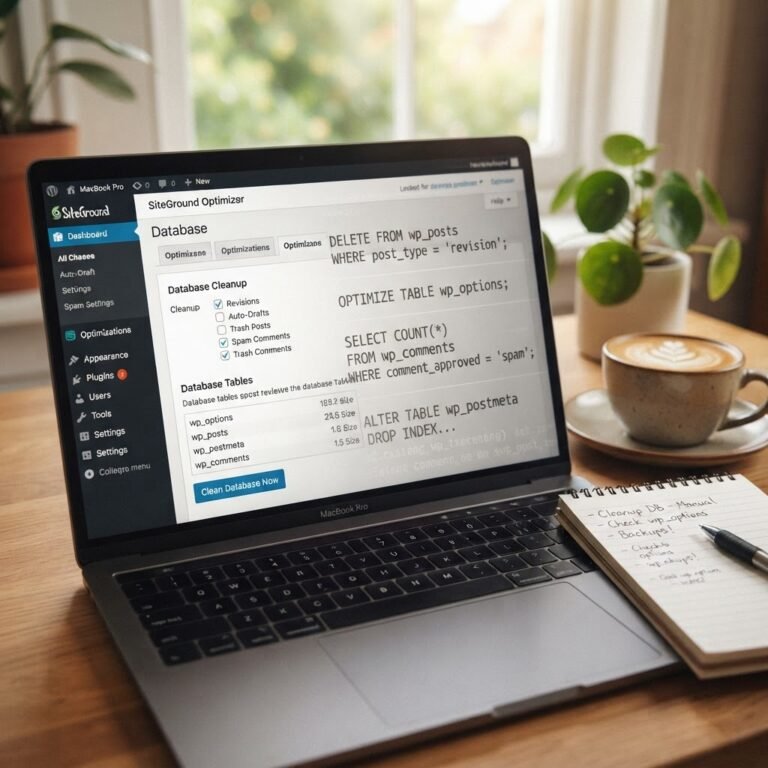
6. Optimize Database Performance
WordPress relies on its database to function correctly. Over time, databases can become cluttered with unnecessary data, leading to slower response times. Perform these maintenance tasks:
– Regularly clean your database: Remove spam comments, old revisions, and transient options to keep your database streamlined. You can use plugins like WP-Optimize to automate this process.
– Use database optimization plugins: These tools can help manage your database’s performance, ensuring it runs smoothly while improving query response times.
Taking the time to optimize your database can significantly lower load times, particularly for database-heavy sites.
7. Enable Compression Techniques for Faster Load Times
Compressing files allows them to be served more quickly to browsers, which can significantly enhance your site’s performance. Enable Gzip compression to reduce the size of your website files by up to 70%:
– Activate Gzip Compression: Most modern hosting services offer Gzip or deflate compression. If yours does not, you can enable it via your `.htaccess` file or through a performance plugin.
Enabling compression not only makes your site faster but also saves bandwidth and improves the overall user experience.
8. Regular Maintenance and Performance Monitoring
Once you implement these performance techniques, continuous monitoring and maintenance are necessary to ensure optimal functionality:
– Regularly update WordPress core, themes, and plugins: Keeping your WordPress installation up to date not only improves performance but also enhances security.
– Monitor performance metrics: Use tools like Google PageSpeed Insights or GTmetrix to analyze load times and performance scores.
– Schedule routine checks: Regularly audit your site’s performance and loading speeds to catch potential issues before they escalate.
By remaining proactive, you can keep your site running smoothly and efficiently.
Conclusion: Achieving Optimal WordPress Performance for Your Site
Achieving optimal performance for your WordPress site doesn’t have to be an overwhelming task. By implementing these eight WordPress performance optimization techniques, you not only enhance your user experience but also improve your site’s overall effectiveness and conversion rates.
Remember, a faster website leads to happier visitors, better SEO rankings, and increased sales. It’s time to tackle those performance issues head-on! If you’re feeling stuck or overwhelmed at any stage, remember we’re here to help—your Command Center for WordPress Mastery is just a click away!
Optimizing your WordPress site is a journey, and with the right strategies in place, you’re well on your way to achieving a fast, reliable website.