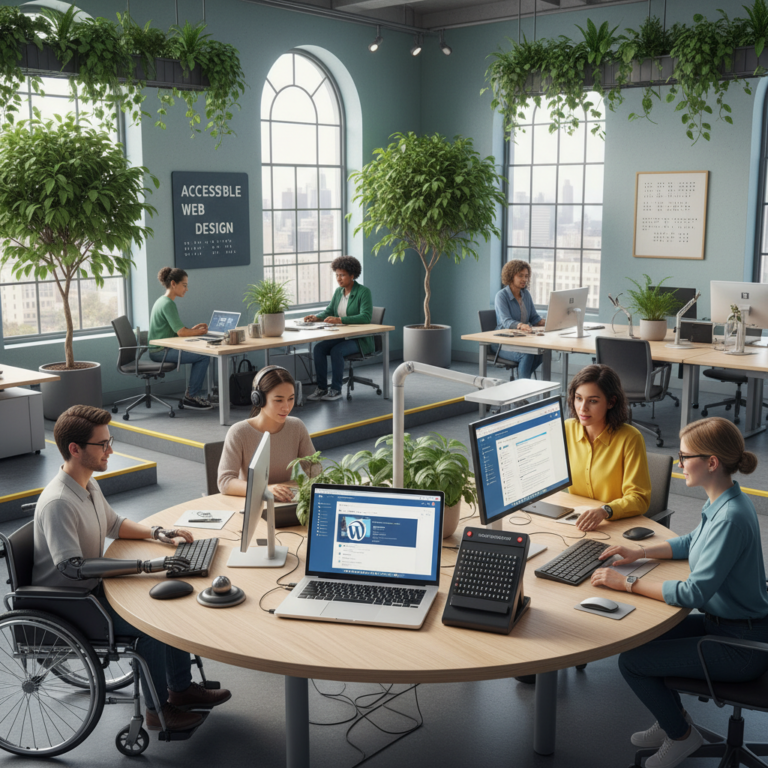
Real-Time Collaboration in WordPress: Stop Content Conflicts
Real-Time Collaboration in WordPress: How to Work Together Without the Chaos
I remember waking up to a frantic Slack message at 3 a.m. One of my writers had overwritten an entire homepage draft because two people were logged into the same account, clicking ‘save’ at the exact same moment. It was a mess. That night, I spent three hours restoring versions and crying over lost paragraphs. We have all been there.
Talking Points:
* The history of content overwriting.
* Why native WordPress often fails teams.
* The hidden cost of manual communication.
WordPress is supposed to make our lives easier, but the default setup feels like a relic from the early 2000s. If you have ever felt the stomach-drop of seeing ‘Saving’ turn into a conflict error, you know what I mean. The default environment lacks the basic protections we expect from modern cloud-based CMS tools.
The WordPress Default: Why It Is Not Enough
Talking Points:
* The lack of built-in file locking.
* User permission limitations.
* The danger of shared credentials.
The core of WordPress was built for bloggers working in isolation, not global teams cranking out daily content. When you have three people touching the same post, the system gets confused. It does not know who holds the ‘truth’ at that moment.
I used to tell my team to leave a note in the admin dashboard comments before touching a draft. It never worked. People are busy, they forget, or they simply get in a hurry to meet a deadline. Without a real-time system, you are essentially gambling with your content.
The Benefits of Real-Time Collaboration
Talking Points:
* Speeding up the editorial workflow.
* Reducing human error.
* Improving team morale.
When your team moves in sync, the friction disappears. Real-time collaboration in WordPress changes the game from a chaotic relay race into a smooth assembly line. You see where your partner is typing, you see their edits live, and you stop stepping on each other’s toes.
This is about more than just convenience. It is about saving your sanity. When you stop worrying about who is editing what, you can focus on the actual writing quality. That is where the real value hides.
Top WordPress Plugins for Real-Time Collaboration
Talking Points:
* Why specialized tools are needed.
* Multicollab and its feature set.
* Combining plugins for better results.
Since native WordPress currently lacks a full-blown co-editing experience, you have to look outside the core. Multicollab is the name that keeps coming up in my circles. It allows up to five people to work on the same post at once without things breaking.
It feels like working in a shared document app. You can see bubbles for each user, their cursor movements, and live updates. It takes the guesswork out of the process completely.
How to Set Up Collaborative Editing for Your Team
Talking Points:
* Plugin installation steps.
* Configuring user settings.
* Testing the connection.
First, make sure everyone has their own user account. Stop sharing passwords right now. It is a security nightmare and it ruins your audit trail in the dashboard.
Once you have individual accounts, install your chosen tools. Set up roles so only senior editors can actually hit the publish button. It prevents accidental live updates while people are still polishing their sections.
Managing Roles and Permissions: Keep Your Site Secure
Talking Points:
* Defining clear hierarchies.
* Limiting edit access.
* Using contributor vs. author roles.
I always suggest setting your writers as Contributors. They can draft but they cannot publish. This creates a safety net where your editor reviews every single word before it touches your live site.
Permissions are the wall that keeps your site from falling over. If everyone has ‘Admin’ access, something will break eventually. Trust me, I learned that the hard way when a summer intern accidentally deleted our primary menu.
Best Practices for Editorial Workflows
Talking Points:
* Using editorial calendars.
* Standardizing your post status.
* Communicating outside the editor.
Pairing a tool like PublishPress with your collaboration plugin is a pro move. You get a calendar view, so everyone knows who is writing what and when it is due. It stops the ‘What are you working on?’ emails.
Keep your post statuses clean. Use ‘Draft,’ ‘In Review,’ ‘Ready for Approval,’ and ‘Scheduled.’ If you don’t keep the pipeline organized, even the best plugin won’t save you from a disorganized mess.
Troubleshooting Common Sync Issues
Talking Points:
* Dealing with plugin conflicts.
* Clearing browser caches.
* Updating PHP and database versions.
Sometimes things just freeze. If the sync dies, refresh the page. Usually, it is just a brief hiccup in your internet connection or a browser cache issue.
Check your plugin compatibility list if things stay broken. If you use page builders, they can sometimes cause conflicts with collaborative editors. Stick to standard Gutenberg blocks as much as possible for the smoothest experience.
Alternative Solutions: Headless WordPress vs. Traditional
Talking Points:
* The pros of decoupled setups.
* Using external editors.
* Managing the move to headless.
Some teams decide to stop editing in WordPress entirely. They write in Google Docs or Notion and then push the content to WordPress via API. It is a completely different way to work.
This approach removes the conflict problem entirely. But, you lose the ability to see the layout live. It is a trade-off between writing comfort and visual accuracy.
Master Your Content Production
Working together should not be a struggle. When you have the right tools and a clear workflow, your site becomes a well-oiled machine. It is time to stop the late-night panic and start building a process that actually works.
If you have a setup that keeps your team sane, please share it in the comments. We are all trying to figure out the best way to keep these sites running smoothly. Let’s help each other out.
Frequently Asked Questions
Is real-time co-editing built into WordPress 7.0?
No, it was removed from the release. You still need a third-party plugin for that functionality.
Can I use collaborative editing with page builders?
Most collaborative plugins are designed for the block editor. They often struggle with complex, proprietary page builder interfaces.
How many people can edit at once with plugins?
It depends on the tool, but many support up to five users simultaneously before the risk of sync errors increases.
Should I share my admin login to help writers?
Never share login credentials. Always create individual accounts to maintain security and clear records of who did what.
What is the difference between native ‘Notes’ and real-time editing?
Native notes are for leaving feedback on a draft, while real-time plugins actually allow you to edit the text at the same time as someone else.