WordPress Headless CMS for Beginners: A Plain-English Guide
WordPress Headless CMS for Beginners: A Plain-English Guide to Modern Architecture
I remember sitting in my office at 3 AM, staring at the dreaded white screen of death on a client’s site. It was supposed to be a simple plugin update, but it felt like my entire career was crashing down. That night, I learned that WordPress is powerful, but sometimes it gets too heavy for its own good. This is where WordPress headless CMS for beginners starts to look like a lifeline rather than a headache.
Talking Points:
* Defining headless architecture without the fluff.
* Why content management needs a separation of powers.
* Moving past the traditional WordPress box.
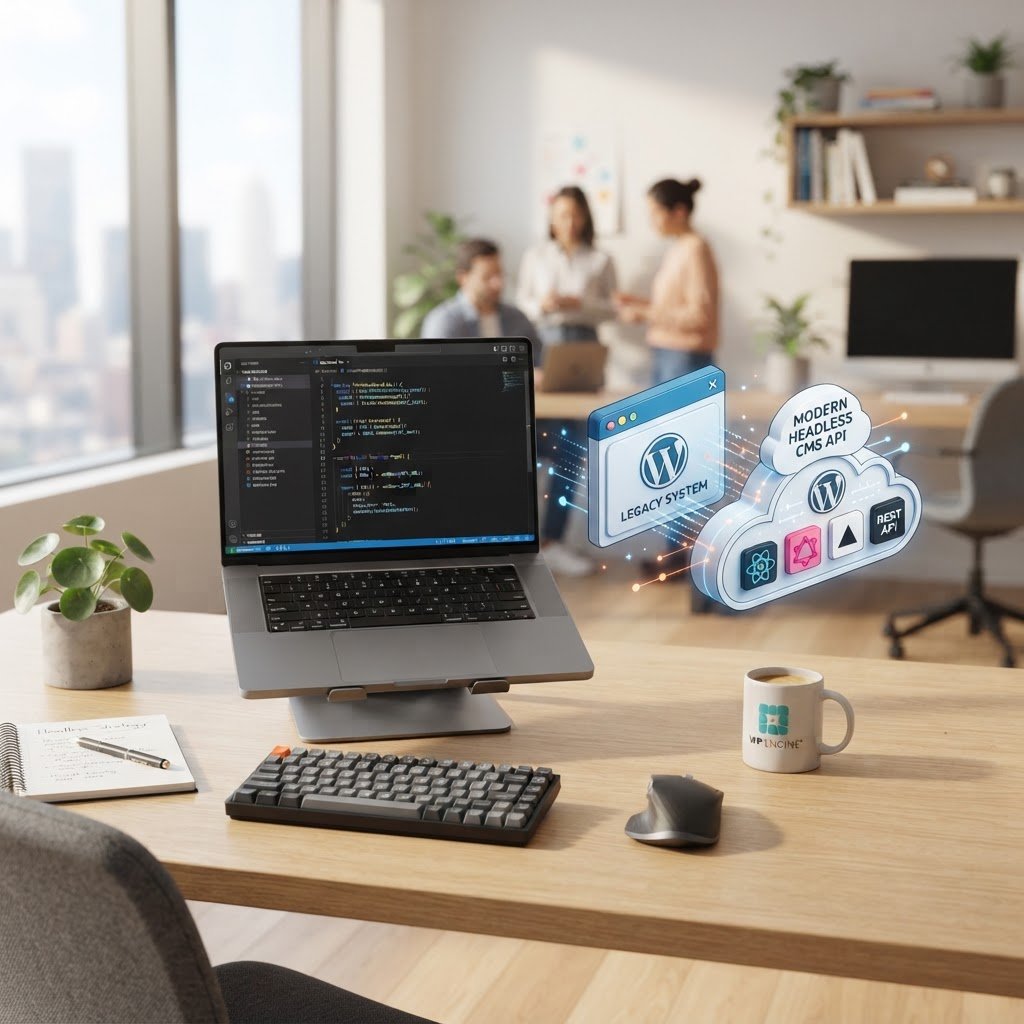
What is a headless CMS, anyway? Think of your site as a restaurant. Traditional WordPress is the full-service experience where the kitchen, the waiters, and the tables are all in one building. If the building catches fire, your business stops. A headless approach separates the kitchen from the dining area. You keep the kitchen—your WordPress backend—where you create content. But you serve that content through a digital waiter to whatever device you want.
Decoupled WordPress explained is simpler than most gurus admit. You use the WordPress dashboard to write posts and manage media. Then, you send that data via the REST API or GraphQL to a separate frontend. It is just a fancy way of saying you use WordPress to store stuff, but you build the display layer using something else. You get freedom from the traditional themes that slow down your server.
Traditional vs. Headless: Understanding the Architecture Shift
Talking Points:
* How the traditional stack ties your hands.
* The structural differences in how data flows.
* Identifying when you are trapped by your theme.
Traditional WordPress bundles your database, your code, and your design into one giant package. It works fine for most blogs, but it creates bloat. I have seen sites take five seconds to load simply because they had to pull a massive stylesheet just to show a paragraph. It is frustrating to watch your bounce rate climb when you know the content is good.
Headless architecture removes that burden. By decoupling the presentation layer, you stop the backend from forcing its design choices on you. You treat WordPress as a simple data source. The frontend, usually built with a modern frontend framework, only fetches the text and images it needs. No extra CSS files, no unnecessary scripts, and definitely no plugin-bloat slowing down your user experience.
This shift requires a new mindset. You stop thinking about page templates and start thinking about data endpoints. You are not building a “page” anymore; you are building an interface that talks to your database. It is a fundamental change, but the speed gains often speak for themselves.
Why Choose Headless? Solving Speed and Security Headaches
Talking Points:
* The performance benefits of static delivery.
* Why a smaller attack surface makes life easier.
* Delivering content across multiple platforms at once.
I once had a site that went down because a popular plugin had a massive vulnerability. With headless setups, the story changes. Because your frontend is separate from your database, a hacker cannot just hit your login page to break your site. You can put your entire frontend behind a Content Delivery Network, making it incredibly hard to crack.
Speed is the other major win. You can use a Static Site Generator to turn your WordPress content into simple HTML files. Those files load instantly because there is no database query running every time a user visits. It is the fastest web experience you can provide. My bounce rates dropped significantly the moment I moved my main project to this model.
Finally, think about multi-channel delivery. If you want to show your content on a mobile app, a smart display, and your website, a headless setup makes that easy. You update the content once in WordPress, and the API pushes it to all three. It is efficient, clean, and quite frankly, satisfying to manage.
The Realistic Downsides: When to Stick with Traditional WordPress
Talking Points:
* The hidden costs of building a custom frontend.
* Why your favorite page builder plugin will break.
* Keeping your team trained on new technologies.
Let me be honest with you. Going headless is not always the right move. If you rely on Elementor or other drag-and-drop page builders, you are out of luck. Those tools are hard-wired into the traditional WordPress theme system. If you switch, you have to build your entire frontend from scratch using code.
Maintenance is another beast. You no longer just click “Update” on a theme to fix a layout issue. You have to debug your frontend code. If you are not a developer, or you do not have one on your team, you will quickly find yourself stuck. It turns a simple site management job into a software engineering project.
I always tell my clients to ask if they really need the speed. If your current site works and brings in sales, leave it alone. The complexity of a decoupled setup is only worth it if you are struggling with specific performance limitations. Do not fix what is not broken.
The Core Technologies: REST API and GraphQL Made Simple
Talking Points:
* How the REST API handles your data requests.
* Getting specific with WPGraphQL queries.
* Why JSON is the language of your new site.
The WordPress REST API is a secret weapon that comes free with your core install. It turns your database into a JSON machine. You ask for a post, and it sends back the text and images in a clean format that any machine can read. It is the backbone of how your headless site talks to your content.
WPGraphQL is a plugin that changes the game even further. Instead of asking for a giant blob of data, you ask for exactly what you need. Need just the title and the featured image? You ask for those two things, and that is all you get. It saves bandwidth and makes your site feel snappy.
I spent years writing clunky PHP loops to get data from WordPress. Learning how to query via an API was like discovering a shortcut through a maze. Once you get the hang of these endpoints, you will never want to go back to static, server-side template files.
Step-by-Step Overview: Building Your First Decoupled Site
Talking Points:
* Setting up WordPress as a pure data source.
* Connecting your first frontend framework.
* Testing your API endpoints before you build.
Start by keeping WordPress lean. Disable all frontend plugins. You only want the ones that help you manage content. Next, install a plugin like WPGraphQL so you can play with your data. Head over to the GraphQL IDE inside your dashboard and start testing your queries.
Pick a simple frontend project to start. React or Vue.js are popular choices for a reason. They handle data updates beautifully. You fetch your JSON data from your WordPress site, map it to your components, and boom—your site is alive. It is less about “installing a theme” and more about “writing a connection.”
Test often. I like to use tools like Postman to ensure my API is sending the right data. If your data is messy, your frontend will look broken. Spend time cleaning your content types and fields in WordPress first. Your future self will thank you for the extra effort at the start.
Choosing Your Frontend: React, Vue, or Static Site Generators
Talking Points:
* The learning curve for major frameworks.
* Why some developers prefer static generation.
* Matching your tools to your project goals.
Choosing a framework is like picking a car; you need to know where you are going. React has the biggest community. If you get stuck, someone on the internet has already fixed your bug. It is a safe bet for most beginners who want to grow their skills.
Vue.js is much friendlier for those coming from a design background. The code looks a lot more like standard HTML, which makes the transition feel natural. I prefer it for smaller, faster projects where I want to get things up and running in a weekend.
Static Site Generators like Next.js or Astro are the king of performance. They take your WordPress content and build it into static files that your server just hosts. No processing, no databases to crash. It is the closest thing to a bulletproof website you can get.
Best Practices for Managing Content in a Headless Environment
Talking Points:
* Standardizing your custom fields for consistency.
* Dealing with media and image processing.
* Managing user roles when the frontend is detached.
Consistency is everything. Since you are not using a visual editor that shows you the live preview, you need to be strict. Use Advanced Custom Fields to create specific inputs for your content. If you want a title, a body, and a sidebar, make fields for those. Do not let users dump everything into one giant text area.
Media handling is a common trap. Your WordPress install is the media library, but your frontend is the display. Make sure your API is sending the full URL to your images. If you do not, you will have broken links everywhere. It happens to the best of us.
Keep your WordPress backend behind a firewall. Since it is now the brains of the operation, you want to restrict access to only your content team. Give them a simple login, and make sure your API keys are hidden. You are now running an application, not just a blog.
Avoiding Common Pitfalls for Beginners
Talking Points:
* Forgetting that WordPress is now a backend.
* Underestimating the time it takes to build a frontend.
* The importance of keeping plugins to a minimum.
My biggest mistake? Trying to move a massive, heavy site to headless all at once. Do not do it. Start with a sub-domain or a small landing page. Learn the process before you commit your main revenue stream to a new architecture. If the API fails, your site goes down.
Another trap is plugin overload. Just because you are using a headless setup does not mean you should ignore security or performance. Your API is still a potential performance bottleneck. If you add fifty plugins that all hit the database, your API will slow down, and your frontend will crawl.
Keep it simple. If you do not need a plugin, delete it. A clean backend is a fast backend. I have cut my response times in half just by removing unnecessary plugins that were doing things I could handle with a few lines of code.
Final Verdict: Is Headless Right for Your Project?
Talking Points:
* Assessing your technical resources and budget.
* Weighing the need for speed against development time.
* When to stay with the traditional WordPress path.
Headless WordPress is not for everyone. If you need a site live tomorrow and you have a limited budget, stick to a high-quality traditional theme. There is zero shame in that. The ecosystem is built to support you, and there are thousands of ways to make a traditional site fast and secure.
If you have a dedicated developer or you are ready to learn new skills, go for it. The control you get over your site is worth the effort. It is the difference between driving a reliable sedan and building your own custom race car. Both get you to the destination, but the experience is very different.
I have seen sites thrive using both methods. Your choice depends on your specific goals. Do you need a massive, custom-built application, or do you need a content-rich site that works out of the box? Be honest with yourself about your technical capacity.
Conclusion: Your Command Center for Modern Web Mastery
Moving to a modern architecture changes how you view the web. You are no longer tethered to the limitations of a pre-built theme or a bloated plugin stack. You have taken control of your content and how it is served to the world. Whether you go fully headless or keep it traditional, the most important part is that you understand how your site works. That knowledge is your real power. I hope you experiment, break things, and fix them—that is how we all learned to build better sites. If you have questions or want to share your own experience with these architectures, drop a comment below. I am always happy to hear what you are building.
Frequently Asked Questions
1. Question: Do I need to be a professional developer to use headless WordPress?
Answer: While it is not required, you need a solid grasp of web fundamentals like HTML, CSS, and some JavaScript. It is a jump in difficulty from standard WordPress because you have to build your own frontend.
2. Question: Will my SEO rankings drop if I switch to a headless architecture?
Answer: If you do it correctly, they shouldn’t. You need to ensure your frontend handles meta tags, sitemaps, and server-side rendering properly. Google can read headless sites, but you have to make sure your site is not invisible to crawlers.
3. Question: Can I still use my existing WordPress plugins in a headless site?
Answer: Only if those plugins do not rely on rendering output on the frontend. Plugins that add backend functionality, like SEO tools or custom fields, work fine. Plugins that add front-facing features, like contact forms or sliders, will require a different approach.
4. Question: Is headless WordPress better for e-commerce sites?
Answer: It can be. It allows for a more fluid checkout experience and faster page loads, which often leads to higher conversions. However, it requires a significant investment in custom development to ensure security and inventory syncing.
5. Question: What is the biggest advantage of using GraphQL over the REST API?
Answer: GraphQL allows for precise data fetching. You get exactly the data you need in one request, which reduces the amount of data your frontend has to process. It is generally more efficient for complex applications than REST.