WordPress Security Best Practices for Beginners: Protect Your Site
WordPress Security Best Practices for Beginners: A Stress-Free Guide to Protecting Your Site
I remember staring at my monitor at 2:00 AM, my eyes burning. My site was gone. Replaced by a blank, white screen. I felt sick. I had spent months building my business, and just like that, it felt erased. I learned the hard way that site owners are targets, regardless of their size. Automated bots scan millions of pages every single day, looking for a weak spot.
Talking Points:
* The reality of automated threats for small sites
* Why your hard work needs proactive defense
* Moving beyond the “it won’t happen to me” mentality
That late-night panic taught me more than any textbook ever could. I realized that security isn’t some high-level task for tech wizards; it is basic maintenance. WordPress powers so much of the web, which makes it a massive target. When you ignore basic wordpress security tips, you invite trouble. Most attacks are not personal; they are just cold, heartless scripts testing for open doors. You can stop them with simple steps.
The Truth About Vulnerabilities
Talking Points:
* Why themes and plugins are the main entry points
* The speed of modern exploit cycles
* Protecting your reputation through updates
I used to think my site was too small for anyone to care about. I was wrong. Statistics show that 11,334 new WordPress vulnerabilities were disclosed in 2025 alone. That is a forty-two percent jump from the year before. Most of these holes live in your plugins or themes. Not the core software itself.
When a flaw goes public, bad actors work fast. About ninety-six percent of these gaps get exploited within twenty-four hours of discovery. If you have an outdated plugin, you are leaving your front door unlocked. Keep your software current. It is the easiest way to protect wordpress from hackers. Don’t let your site become just another statistic in a database of compromised domains.
Fixing Your Login Weaknesses
Talking Points:
* Why “admin” is a terrible username
* How to craft a password that bots cannot guess
* The danger of brute force attacks
Many folks start their sites using “admin” as their username. Don’t do this. It is the first guess any bot makes during a brute force attack. Think of it like leaving your house key under the mat. Everyone knows where to look. Change it to something unique immediately.
Your password should be a long string of random characters. Use a manager if you have to. If you are still using your dog’s name or your birthday, you are making it easy for them. Bots test thousands of combinations every minute. They don’t get tired, they don’t sleep, and they will eventually break a simple password. Make them work for it.
Two-Factor Authentication Is Non-Negotiable
Talking Points:
* How 2FA stops automated bots cold
* Why a password is no longer enough
* Setting up simple authentication layers
If you take one piece of advice from me, make it this one. Use Two-Factor Authentication. I turned this on years ago, and I sleep much better now. Even if a bot manages to guess your password, they still cannot get in without that second code. It stops one hundred percent of automated bot attacks dead in their tracks. It adds five seconds to your login process but saves you hours of disaster recovery.
Backups: Your Ultimate Safety Net
Talking Points:
* Why host-provided backups aren’t always enough
* Setting up off-site storage
* Testing your restore process periodically
I once worked with a client who had a gorgeous site that vanished after a failed update. He didn’t have a recent backup. We lost everything. My heart broke for him. You must have a solid backup strategy. Keep a copy of your site files and your database on a separate server or cloud storage. Do not trust your host’s internal backup tool to be your only layer of protection.
Choosing the Right Security Plugin
Talking Points:
* Automating your defensive posture
* Why you should avoid bloat
* Monitoring for suspicious changes
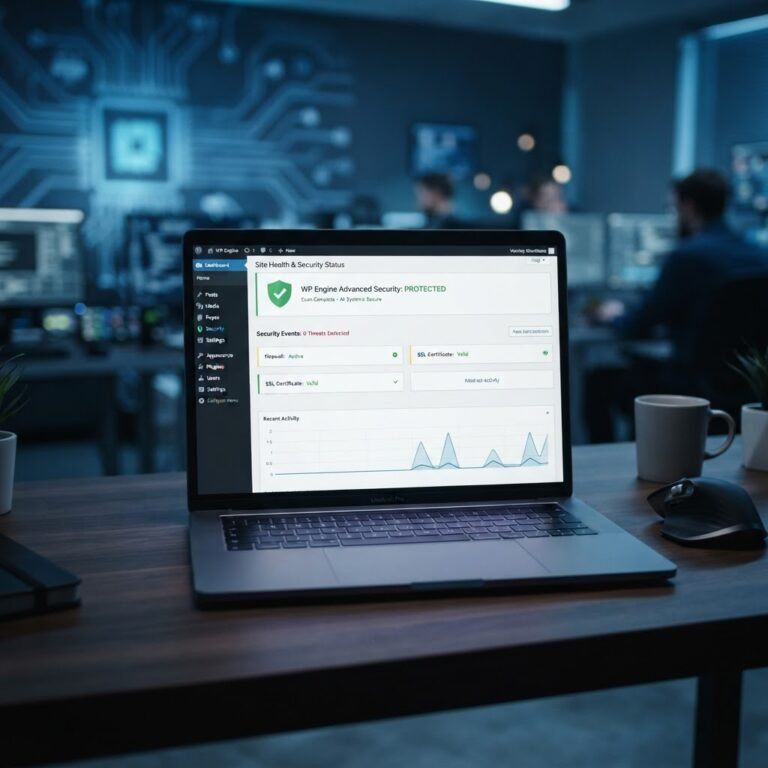
There are tons of plugins out there. Find one that handles malware scanning and provides a clear view of your site’s health. You want a tool that can limit login attempts. This stops the bots from guessing forever. A good plugin acts like a guard dog for your site, barking when it sees something weird.
Securing Connections with SSL
Talking Points:
* Why HTTPS is no longer optional
* How encryption protects user data
* The SEO benefits of a secure site
If you see a “Not Secure” warning in your browser, you lose trust instantly. Installing an SSL certificate is a must. It turns your site into an HTTPS site, which encrypts all the data moving between your server and your visitor. Plus, Google likes it. It is a simple ranking signal that makes your site look professional and safe.
Managing Your Database and Files
Talking Points:
* Changing default database prefixes
* Why file permissions matter
* Keeping your server clean
WordPress defaults to using specific database prefixes. This makes it easy for automated scripts to target your tables. A good hardening guide will tell you to change these to something random during setup. Also, check your file permissions. Your files should not be writable by everyone on the server. If they are, one bad plugin can change your entire site structure without you knowing.
Monitoring Your Site Activity
Talking Points:
* Why logs tell the true story
* Spotting anomalies before they become disasters
* Keeping an eye on user logins
Check your activity logs regularly. Did a plugin update on its own? Did someone log in from a weird location? These logs are your best early warning system. When you see something that doesn’t feel right, you can jump in and handle it before it gets worse. Proactive monitoring beats reactive panic any day of the week.
Taking Control of Your Digital Space
I hope this makes the idea of security feel a little less heavy. You are the captain of your ship, and a few small adjustments go a long way. You don’t need to be a developer to keep your site safe. Just stick to the basics, stay updated, and never skip your backups. If you ever hit a wall or feel overwhelmed by a specific error, reach out and let us know. We have seen just about every glitch imaginable and are happy to help you get back on track. Drop a comment below if you have a question or a story about how you saved your site from a close call.
Frequently Asked Questions
1. Question: Do I really need a paid security plugin for my small blog? Answer: No, a free version is often enough to cover basics like login limiting and scanning. Start there and grow as your traffic needs change.
2. Question: Can a plugin make my site 100% unhackable? Answer: No software can provide absolute protection. Security is about layers, and a plugin is just one important part of your overall defensive strategy.
3. Question: Is it enough to just change my login URL? Answer: No, that is just hiding your door, not locking it. You still need strong passwords and two-factor authentication to actually secure wordpress admin login access.
4. Question: What should I do if I suspect my site is already hacked? Answer: Stop what you are doing, change all your passwords immediately, and use a dedicated scanner to look for malicious code before restoring from a clean backup.
5. Question: Does HTTPS really affect my search engine rankings? Answer: Yes, major search engines view security as a ranking factor, so moving to SSL is a win for both your safety and your visibility.