Headless WordPress Architecture: Your Complete Guide
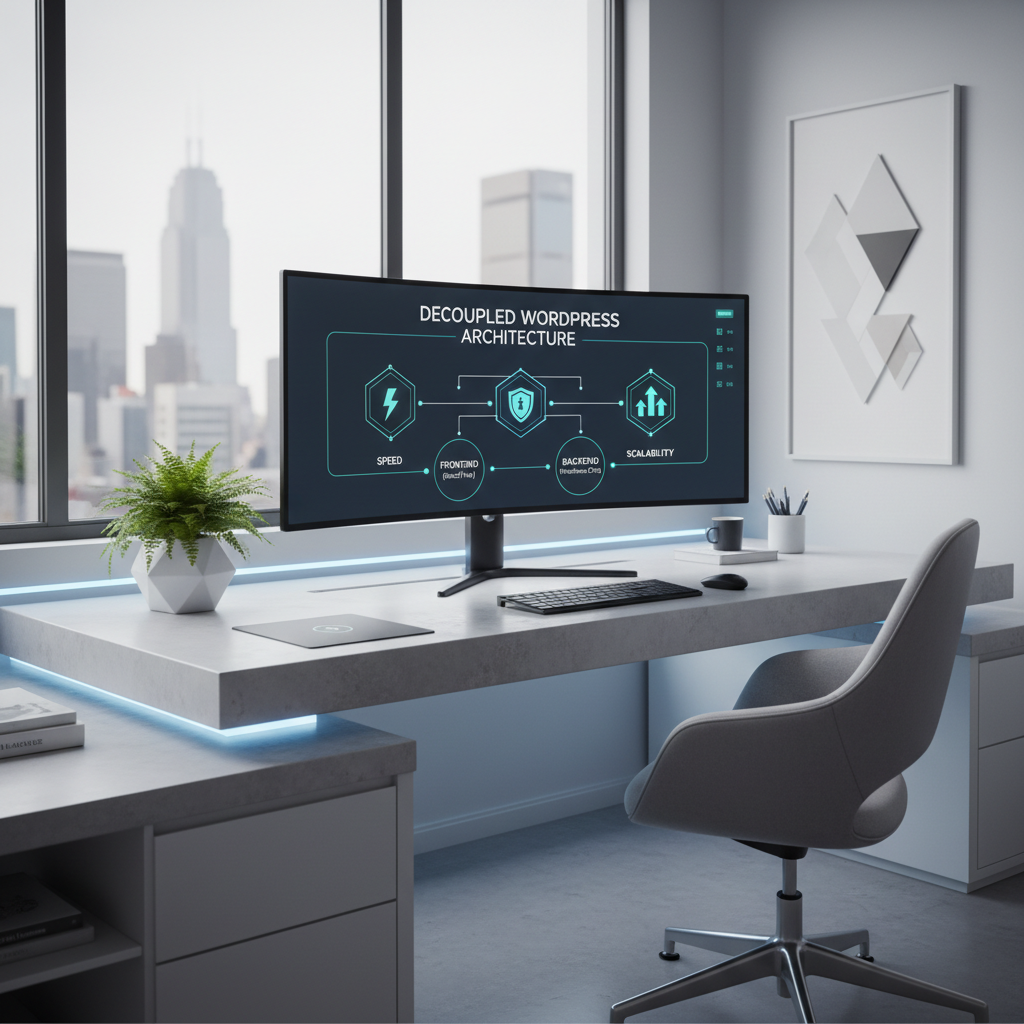
Headless and Decoupled WordPress Architecture: Your Ultimate Guide to Speed, Security, and Scalability
Introduction: Understanding the Frustrations of Traditional WordPress Architecture
If you’ve ever encountered the dreaded “White Screen of Death” at 2 AM while trying to wrangle your WordPress site, you’re not alone. Many website owners wrestle with the frustrations of traditional WordPress architectures—slow loading times, security vulnerabilities, and scalability issues that can turn a simple project into a nightmare. We understand those struggles, and we have solutions that can save you time, hassle, and money. Enter headless and decoupled WordPress architectures—two powerful concepts designed to transform the way you build and manage your website.
What Is Headless WordPress Architecture?
Headless WordPress architecture separates the backend content management system (CMS) from the frontend presentation layer. In simpler terms, this means your content is maintained in WordPress, but it can be displayed in a multitude of ways across different platforms and devices without being tied to the traditional WordPress theme system. By using REST APIs or GraphQL, developers can create custom frontends using frameworks like React, Vue.js, or Angular, delivering content with exceptional speed and flexibility.
Benefits of Headless Architecture:
– Increased Performance: Headless WordPress allows for optimization techniques like pre-rendering and caching, resulting in faster load times.
– Enhanced Flexibility: Using diverse Javascript frameworks means you can present your content however you want—on websites, mobile apps, IoT devices, and more.
– Improved Security: By decoupling the frontend from the backend, you minimize exposure to attacks on your database.
What Is Decoupled WordPress Architecture?
Decoupled WordPress architecture is similar but retains some traditional aspects. In a decoupled setup, WordPress still handles both backend and frontend, but they function separately, allowing for better performance and control. Essentially, this means you might serve your site’s frontend using a separate service, while still using WordPress to manage your content, thus combining the best of both worlds.
Benefits of Decoupled Architecture:
– App-like Interactivity: It allows developers to create dynamic components such as search, filtering, and lazy loading without requiring full page reloads, enhancing user experience.
– Moderate Flexibility: While it keeps the foundational structure of WordPress, decoupled architecture allows for easy customization and updates to the frontend.
Key Differences Between Headless and Decoupled WordPress
Both architectures offer unique benefits, but the core difference lies in how much decoupling takes place:
– Headless: Entirely separates the backend from the frontend.
– Decoupled: Uses WordPress to serve both but handles them separately.
This results in different use cases: Headless is ideal for multi-channel distribution, while decoupled is great for sites looking to enhance interactivity without completely abandoning the WordPress core.
Benefits of Adopting Headless and Decoupled Architectures
Why should you consider transitioning to a headless or decoupled architecture? Here are the most compelling benefits:
– Speed: Faster load times mean improved user experience and better SEO rankings.
– Scalability: These architectures handle increased traffic much better, making them perfect for growing businesses.
– Security: Reduced risk of attacks as your backend is less exposed.
– Multichannel Delivery: Easily distribute content across various platforms like web, mobile, and more.
When to Choose Headless or Decoupled Architecture for Your Site
Not every website needs to be headless or decoupled. Here’s a guide on when to adopt each:
– Headless: Choose this if you require extreme flexibility, multi-platform content delivery, or are looking to create a highly performant, scalable application.
– Decoupled: Opt for this when you want to improve functionality while keeping some traditional elements of WordPress that you are familiar with. It works well for typical content websites that also want to introduce dynamic features.
Implementing Headless and Decoupled WordPress: A Step-by-Step Guide
Ready to transform your site? Here’s a straightforward guide to get you started:
Step 1: Assess Your Current Setup
Evaluate the structure and requirements of your existing site. Identify the problems you wish to address: speed, security, content management, etc.
Step 2: Choose Your Technology Stack
For headless setups, explore frameworks like React, Vue.js, or Gatsby. For decoupled, assess your current WordPress theme and plugins to ensure compatibility.
Step 3: Setup Your Development Environment
Set up a local development environment to build and test your backend (WordPress) and frontend (JavaScript framework) separately.
Step 4: Implement API Communication
Establish how your frontend will interact with your WordPress backend. Use REST APIs or GraphQL to manage data flow effectively.
Step 5: Build the Frontend
Start developing the user interface using the chosen framework, ensuring it pulls data correctly from the WordPress API.
Step 6: Test Rigorously
Before going live, conduct extensive tests to eliminate bugs, optimize performance, and ensure security measures are in place.
Step 7: Launch and Monitor
Once everything is tested, go live. Use analytics and performance monitoring tools to ensure your new architecture meets your needs.
Common Challenges and How to Overcome Them
Moving to a headless or decoupled architecture is not without its challenges. Here are some common issues:
– Learning Curve: Adopting new technologies can be daunting. Consider online resources, tutorials, or hiring experts to guide you.
– Setup Complexity: Separating components can lead to initial setup complexities. Document your process as you go to help manage these intricacies.
– Performance Issues: While these setups often boost performance, misconfigurations can lead to the opposite. Regularly audit your setup for optimizations.
Real-World Examples: Success Stories of Headless and Decoupled WordPress
1. TechCrunch: Utilizes headless WordPress to deliver articles rapidly across various channels while maintaining scalability.
2. The Angry Monkey: A fashion retail website that successfully adopted a decoupled architecture to improve loading speeds and user interactions significantly.
3. New York Times: Leverages a headless approach to push content seamlessly to different platforms without compromising performance.
Conclusion: Transforming Your WordPress Site for the Future
Transforming your website into a headless or decoupled architecture can be a game-changer. By addressing the frustrations of traditional setups, you equip your site with the capabilities necessary for speed, security, and scalability. Remember, whether you choose headless or decoupled, each architecture offers remarkable benefits that can elevate your WordPress experience to new heights. Take the leap today, and be prepared for the future of web development with WordPress!
—