Headless WordPress Development Guide: Speed & Security
Headless WordPress Development: Your Ultimate Guide to Speed, Security, and Scalability
Ever been jolted awake by that dreaded “White Screen of Death” at 2 AM? If you have, you know the panic that sets in when everything seems to just… stop working. The frustrating reality of slow sites and constant maintenance can lead anyone to question their sanity.
Headless WordPress development might just be the answer to our collective frustrations. This approach takes the beloved WordPress system and separates it into two distinct elements: the backend (where content is managed) and the frontend (how it’s displayed to users). Imagine a scenario where your site runs smoother, is more secure, and can scale effortlessly across platforms without breaking a sweat! Sounds dreamy, right? Let’s explore how turning WordPress into a headless CMS can help achieve these goals.
What Is Headless WordPress?
Talking Points:
- Definition of headless WordPress.
- Comparison with traditional WordPress setup.
- Importance of API in this architecture.
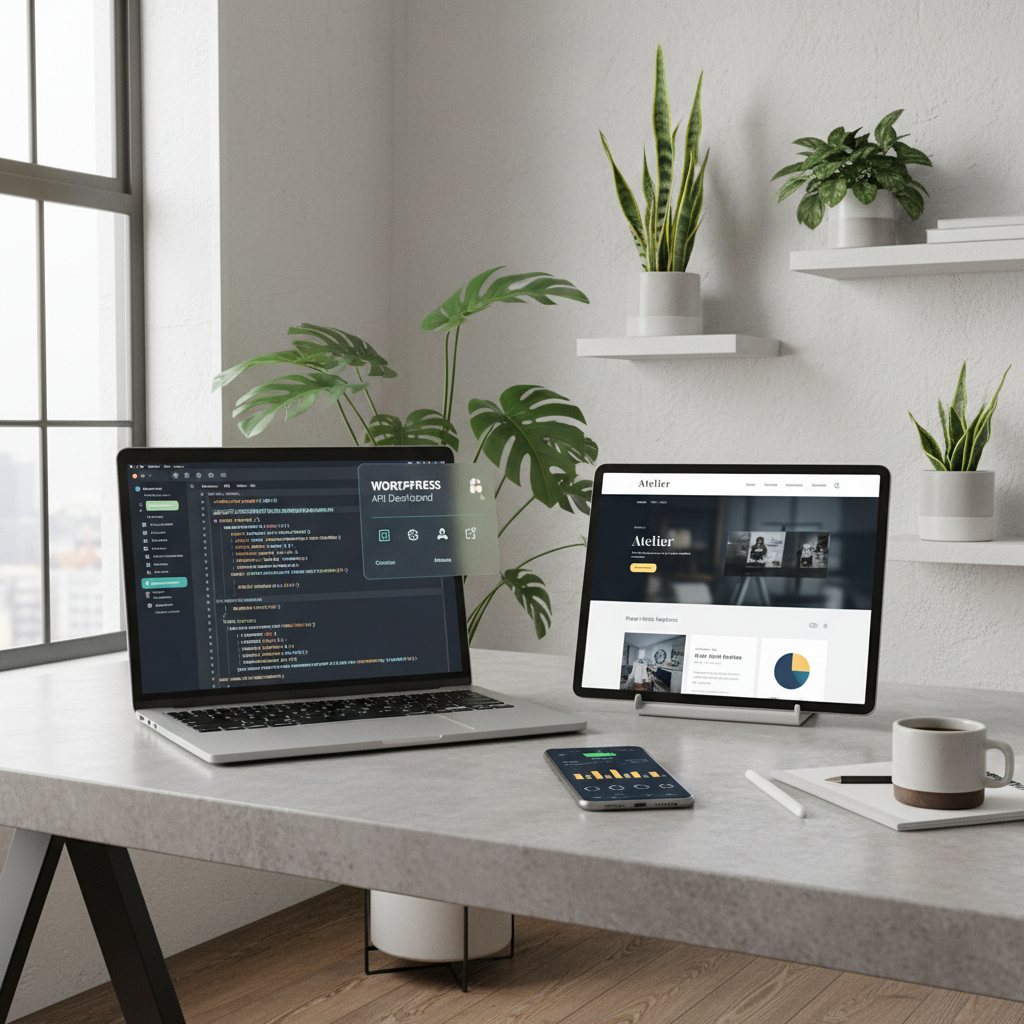
Headless WordPress essentially means decoupling the content management system (CMS) from the presentation layer. In simpler terms, while WordPress remains your content powerhouse, with headless, you’re free to showcase that content however you please. You can utilize modern JavaScript frameworks like React, Next.js, or Vue.js to handle your frontend, which opens doors to faster loading times and enhanced user experiences.
Imagine managing your posts, pages, and media through WordPress, but delivering that content via a slick, speedy framework that can handle anything from traditional websites to mobile apps and even digital signage! It’s like having your cake and eating it too!
Benefits of Headless WordPress Development
Talking Points:
- Enhanced speed through static site generation.
- Improved security by isolating the frontend.
- Flexibility in content delivery.
So why consider going headless? One of the biggest perks is speed. A headless setup often means precompiled static files, which can load much faster than dynamic sites that fetch data on-the-fly each time a user visits. Additionally, by separating the frontend, your admin panel is better protected against common vulnerabilities. No more worrying about plugin exploits, especially when you implement tight security practices.
With a headless approach, you’ll also find it easier to push your content across various platforms. Want to integrate your WordPress site with a mobile app? It’s as simple as API integration! Plus, as organizations aim for multichannel publishing, headless WordPress positions you as a reliable content distributor across diverse mediums.
Setting Up a Headless WordPress Site
Talking Points:
- Steps to set up headless WordPress.
- Choosing the right hosting solution.
- Preparing WordPress for API access.
Starting with a headless WordPress site isn’t as complex as it sounds. First, ensure your WordPress setup runs smoothly and is updated. Find a solid hosting solution that provides high performance. Key features to look for include fast storage options and strong security protocols. Once your hosting is squared away, installing the correct plugins to enable REST API access is essential. This lets your frontend frameworks talk to your WordPress backend without any hiccups!
Remember, always back up your site before making changes. There’s nothing worse than realizing too late that you missed a step. Trust me, I’ve learned that the hard way!
Choosing the Right Frontend Framework
Talking Points:
- Popular frameworks for headless WordPress.
- Considerations when picking a framework.
- Matching framework capabilities with your site needs.
Alright, let’s dive into frontend frameworks. React, Next.js, Vue.js, and Astro are all fantastic choices due to their speed and flexibility. Each has its unique set of features, and they’re all effective at pulling data from your headless WordPress backend.
When choosing a framework, consider your team’s expertise, the specific needs of your project, and how quickly you want to roll things out. You don’t want to pick a framework that’s more complex than necessary, leading to frustration down the line. And trust me—picking the right one can save you hours of headaches.
Integrating WordPress With Frontend Frameworks
Talking Points:
- Methods for integrating frameworks with WordPress.
- API options: REST vs. GraphQL.
- Tips for smooth integration.
Integrating WordPress with your chosen frontend framework can be seamless—if you set things up right. Both REST API and GraphQL are options for fetching your data. REST is often simpler for beginners, while GraphQL offers flexibility in querying different data types with a single request.
Ensure your API endpoints are well-documented and test them thoroughly before proceeding. Trust me, debugging a broken API connection can consume a mountain of time, and no one likes staging that nightmare on a Friday afternoon!
Handling Content Delivery and API Integration
Talking Points:
- Strategies for effective content delivery.
- Caching mechanisms to consider.
- Monitoring API performance.
Having a clear content delivery strategy is vital to maintaining a headless WordPress site. Set up caching mechanisms to ensure your content loads quickly. Consider using tools like Varnish or Cloudflare to handle requests efficiently. They can significantly enhance loading times by caching data at different levels.
Additionally, monitoring your API performance is crucial. Use tools like Google Analytics or custom monitoring solutions to keep an eye on your traffic and response times. The last thing you want is for potential customers to face long loading times because of a server that’s taking its sweet time!
Ensuring SEO Optimization in Headless WordPress
Talking Points:
- Importance of SEO in a headless environment.
- Techniques for maintaining SEO best practices.
- Tools for monitoring SEO performance.
SEO still matters, even in the world of headless WordPress. To keep your site optimized, you’ll need to set up canonical tags to avoid duplicate content issues. Also, ensure your meta tags are correctly rendered on the frontend.
Implement tools like Yoast SEO or Rank Math to help maintain good SEO practices even though your setup is a bit different. They can guide you to avoid pitfalls and report on performance in rich detail. After all, why build an extraordinary site if no one can find it?
Addressing Common Challenges in Headless WordPress Development
Talking Points:
- Typical roadblocks in headless development.
- Solutions to common issues.
- Importance of ongoing learning and adaptability.
Like anything in life, headless development comes with challenges. One prevalent issue is the learning curve associated with new frameworks and technologies. Keep your team prepared to continuously learn—technology won’t stop advancing, and you don’t want to be left behind!
Also, integration might hit snags along the way. Using trial-and-error and staying patient can save you from stress. Collaboration and communication across your team will help keep everyone aligned and inform you of potential issues that customers might face. Together, you can overcome any hurdle!
Best Practices for Maintaining a Headless WordPress Site
Talking Points:
- Routine maintenance tips.
- Importance of backups and security checks.
- Staying updated with technology trends.
Once your headless site is up and running, ongoing maintenance is crucial. Schedule regular updates to plugins, themes, and your framework to avoid security issues. Backing up your site consistently will give you peace of mind—you never know when you might need to roll things back.
Staying informed about the latest trends also helps ensure you’re using the best practices. Follow forums and communities to find tips and tricks that can help streamline your efforts. I can’t stress it enough—finding a solid community can be a game-changer!
Conclusion: Is Headless WordPress Right for You?
At the end of the day, headless WordPress offers countless benefits, from speed to better security and flexibility in content delivery. Not every project necessitates a headless approach, but for many, it’s a lifesaver!
If you identify with the frustrations of slow sites, constant backend issues, or the desire to deliver content across channels, consider a headless setup. Be sure to match your solution with your needs—don’t just leap because it’s trendy. Instead, weigh the pros and cons and consider if the advantages align with your goals. I’d love to hear your experiences with WordPress and any tips you’ve gathered along the way. Drop a comment below or shoot me a message!
Frequently Asked Questions
1. What is headless WordPress development best used for?
Headless WordPress development is ideal for projects requiring speed and flexibility, such as eCommerce sites, apps, and multi-channel distribution.
2. Can I still use WordPress themes with headless WordPress?
No, traditional WordPress themes don’t apply in a headless setup, since the frontend and backend are separate. You’ll build your frontend independently.
3. How secure is headless WordPress compared to regular WordPress?
Headless WordPress can enhance security by isolating the backend from the frontend, reducing known vulnerabilities typically linked to themes and plugins.
4. Do I need coding skills for headless WordPress?
Yes, familiarity with JavaScript frameworks and API integration is crucial for effectively managing a headless WordPress setup.
5. Is headless WordPress suitable for all types of websites?
Not necessarily. It’s best for complex or high-traffic sites that benefit from speed and flexibility, while simpler sites may not require this approach.