Best WordPress Plugin Stack for Small Business: Pricing and Tradeoffs
Best WordPress Plugin Stack for Small Business: Pricing and Tradeoffs
The plugin bill problem
WordPress plugin advice gets messy fast.
One list says you need 11 plugins. Another says 30. A third recommends a tool for every possible feature: forms, SEO, caching, backups, analytics, security, popups, tables, ecommerce, image compression, schema, redirects, and AI writing.
That is not a stack. That is a shopping cart.
A small-business WordPress site needs a simpler way to decide. The right question is not "Which plugins are popular?" The better question is: "Which jobs must this site handle, and which of those jobs are worth paying for?"
This guide gives you a practical WordPress plugin stack for a small business site. It focuses on pricing, tradeoffs, and the order in which paid plugins usually make sense.
WordPress plugin recommendations
How to choose a WordPress plugin stack for small business
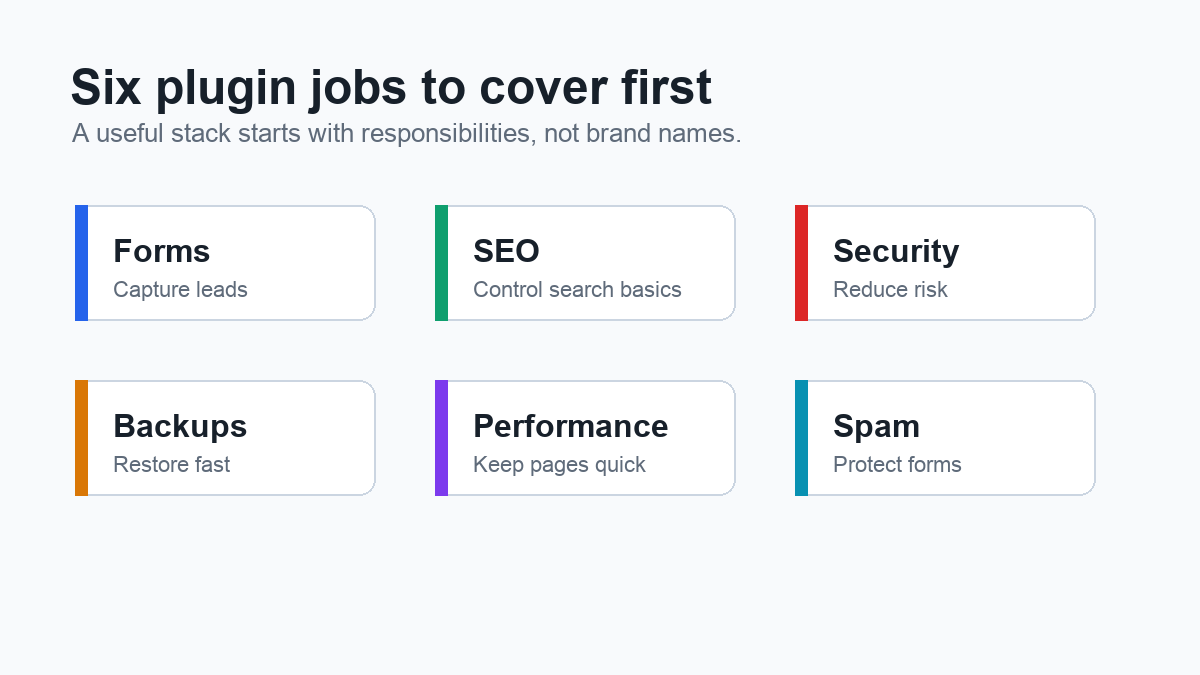
Most small-business sites need six plugin jobs covered.
First, the site needs lead capture. That usually means a contact form, quote request form, booking inquiry, newsletter signup, or payment form. If the website exists to generate inquiries, the form plugin is not a minor detail. It is part of the sales system.
Second, the site needs basic SEO control. At minimum, you want title tags, meta descriptions, XML sitemaps, canonical settings, and clean social previews.
Third, the site needs security. WordPress security is not only about blocking dramatic attacks. It is also about login protection, malware scanning, firewall rules, plugin vulnerability awareness, and alerting when something changes.
Fourth, the site needs backups. A backup plugin or host-level backup system should let you restore the site after a bad update, mistake, malware cleanup, or hosting problem.
Fifth, the site needs performance help. Caching, lazy loading, JavaScript delay, and image handling can all affect the user experience. A slow site can make a good business look careless.
Sixth, the site needs spam protection. This matters most when the site has comments, contact forms, registrations, checkout forms, or lead forms.
Those six jobs are enough for a first stack. If a plugin does not support one of those jobs, it should earn its place before you install it.
Pricing snapshot for common paid plugins
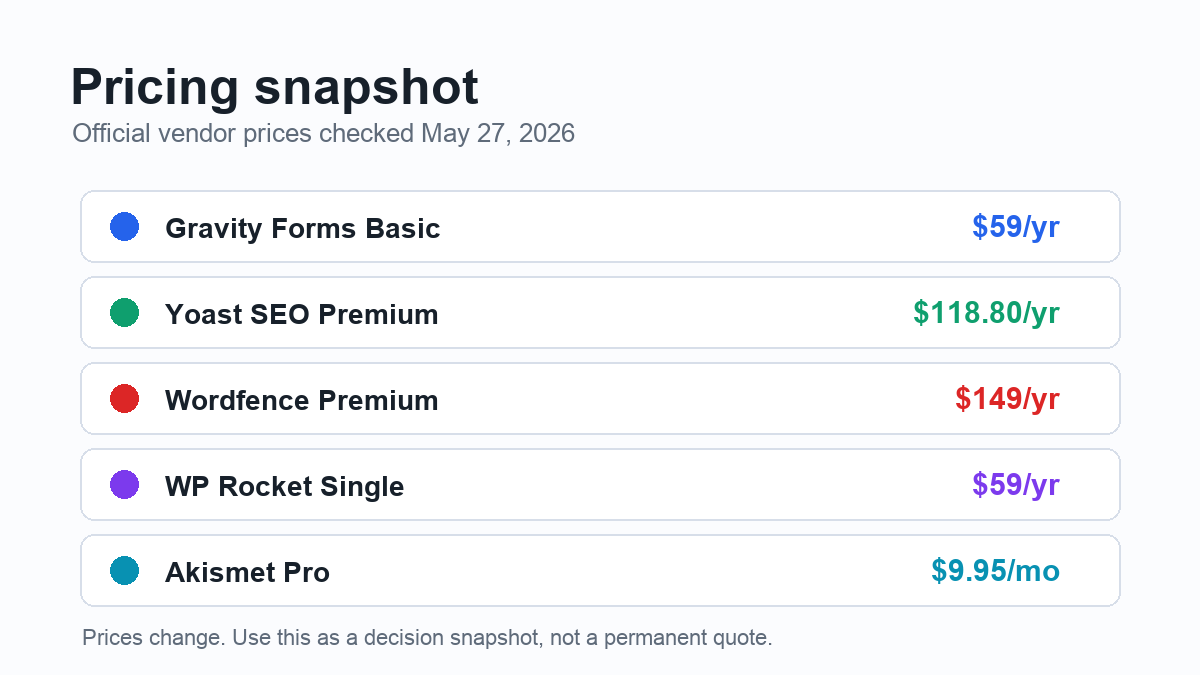
Prices change, discounts come and go, and some plugin companies show different pricing by region or promotion. The prices below were checked against official vendor pages on May 27, 2026.
For forms, Gravity Forms lists its Basic license at $59 per year for one site. Its Pro license is listed at $159 per year for three sites, and Elite at $259 per year for unlimited sites. [SOURCE: Gravity Forms pricing page, checked May 27, 2026]
For SEO, Yoast SEO Premium is listed at $118.80 per year, excluding VAT. [SOURCE: Yoast SEO Premium page, checked May 27, 2026]
For security, Wordfence lists Wordfence Premium at $149 per year. Wordfence Care is listed at $590 per year, and Wordfence Response at $1,250 per year. [SOURCE: Wordfence pricing page, checked May 27, 2026]
For performance, WP Rocket lists its Single license at $59 per year for one website, Plus at $119 per year for three websites, and Multi at $299 per year for 50 websites. [SOURCE: WP Rocket pricing page, checked May 27, 2026]
For spam protection, Akismet lists its Pro plan for commercial sites at $9.95 per month, billed yearly, for one site and 500 monthly spam checks. [SOURCE: Akismet pricing page, checked May 27, 2026]
This does not mean every small business should buy all of those tools. A site can start with a lower-cost stack, especially if the host already includes backups, caching, staging, or malware scanning.
The useful move is to put each plugin into a job category and ask: "What happens if this job fails?"
What to pay for first
Pay for the plugin category closest to revenue or risk.
For many small-business sites, that means forms first. If contact forms bring in leads, the form plugin should be stable, easy to manage, and connected to the business process. A broken form is not a cosmetic issue. It can mean missed calls, missed quote requests, and lost sales.
Security and backups come next for most production sites. They are not exciting purchases, but they protect the business from expensive cleanup. A hacked site can damage trust. A failed update without a usable backup can turn a simple maintenance task into a recovery project.
Performance becomes worth paying for when speed is visibly hurting the site. That might show up as slow mobile pages, poor Core Web Vitals, lower conversion rates, or a clunky browsing experience. A paid performance plugin is often easier for a non-developer to manage than a pile of manual optimization tasks.
SEO premium tools are more situational. If the site publishes often, updates older content, and uses search as a real growth channel, a paid SEO plugin can help with workflow. If the site has five pages and rarely changes, the free version of a reputable SEO plugin may be enough.
The important point is sequence. Do not buy a premium SEO plugin before the site has basic content operations. Do not buy a performance plugin before you know whether the host already handles caching well. Do not buy three marketing plugins before the contact form works.
Where free plugins are enough
Free plugins can be completely reasonable when the job is simple.
A free SEO plugin can handle metadata, sitemaps, canonical URLs, and basic search appearance for many small sites. That may be enough if the business is not yet publishing content every week.
A free security plugin can provide baseline hardening, login protection, and scanning. It may not include the same real-time rules, support level, or cleanup services as a paid plan, but it can still improve a bare WordPress install.
Some hosts include daily backups. Some include server-level caching. Some include a web application firewall or malware scanning. If your host already provides one of those jobs well, you may not need to pay twice.
The main warning is overlap. Do not install two caching plugins. Do not run multiple plugins that both control the same SEO metadata. Do not add three security plugins because each list recommended a different one. Overlap can create conflicts, slow the site down, or make troubleshooting harder.
Example plugin budgets
Here is a practical way to think about the stack.
The starter stack is for a simple brochure site. Use a free SEO plugin, free security baseline, host-level backups if available, and a free or low-cost form plugin. Add a paid form plugin only if lead capture needs routing, integrations, conditional logic, payment fields, or better reliability.
The practical business stack is for a site that brings in leads or supports customers. This is where paid forms, backup reliability, and stronger security start to make sense. A business in this stage should know how forms are tested, where backups are stored, and who gets security alerts.
The content-growth stack is for a site using organic traffic seriously. Add performance optimization and consider a premium SEO workflow once content is being published, refreshed, and internally linked on a schedule. At this stage, the cost of better workflow can be lower than the cost of inconsistent publishing.
The exact tools can vary. One business may choose Gravity Forms for forms, Wordfence for security, WP Rocket for performance, and Yoast SEO Premium for SEO. Another may use different tools because its host, theme, or business model changes the requirements.
That is fine. The stack is not the brand names. The stack is the set of jobs.
Recommended order
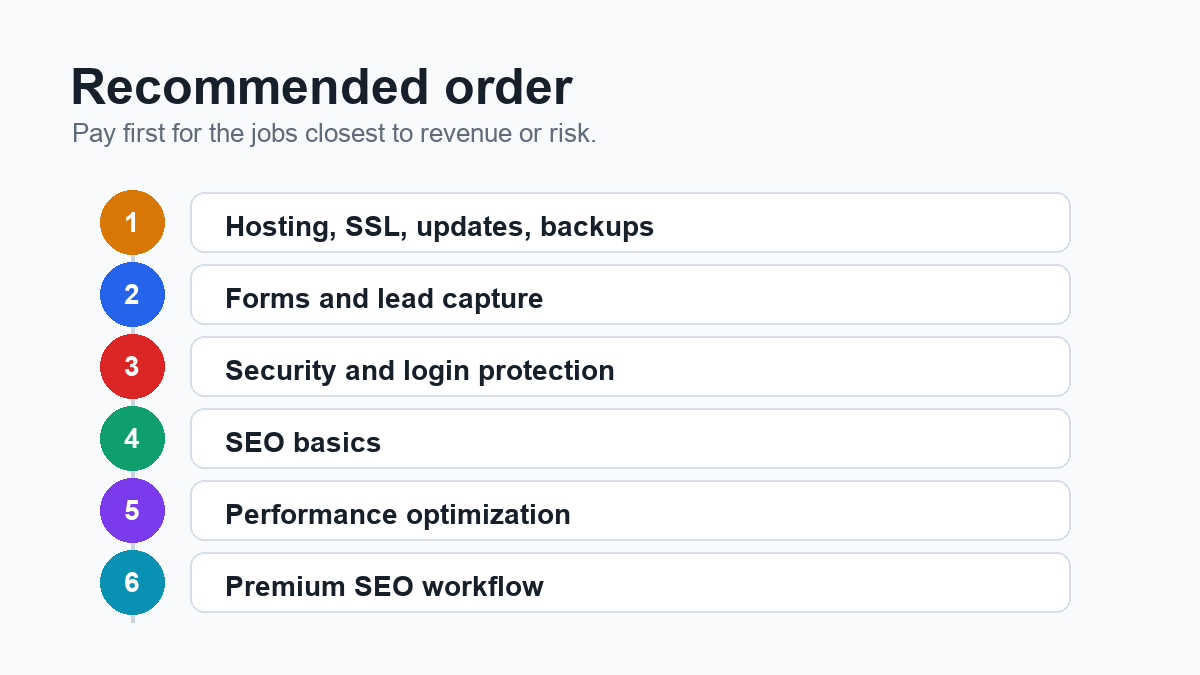
If you are starting from a typical small-business WordPress site, use this order:
- Make sure hosting, SSL, updates, and backups are reliable.
- Choose one form plugin and test every form.
- Add baseline security and login protection.
- Add SEO basics and clean metadata.
- Improve speed once you have real pages to optimize.
- Add premium SEO or content workflow features when publishing becomes consistent.
This order keeps the site practical. It protects the business before chasing extras.
Final recommendation
Do not build your WordPress plugin stack around popularity.
Build it around jobs: capture leads, protect the site, restore the site, help search engines understand the site, keep pages fast, and block spam.
Then decide which jobs are worth paying for now.
For a small-business site, the best plugin stack is usually the one that is boring, clear, and easy to maintain. It should cover the business risks without turning WordPress into a crowded control panel full of tools nobody checks.
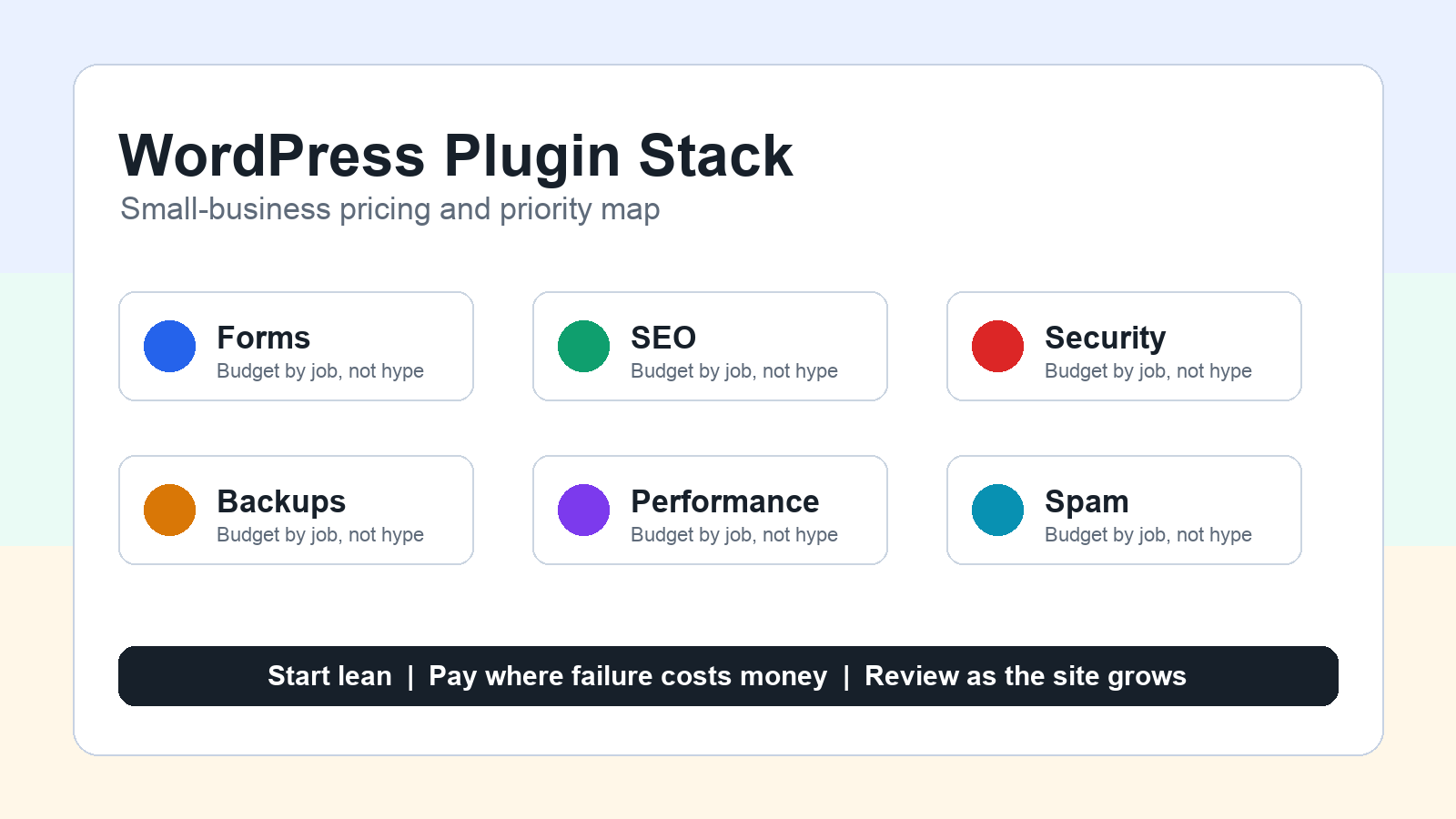
Start lean. Pay where failure would cost you. Review the WordPress plugin stack for small business sites every few months as the site grows.
Source Notes
- Gravity Forms pricing: https://www.gravityforms.com/pricing/
- Yoast SEO Premium: https://yoast.com/features/premium-seo-analysis/
- Wordfence pricing: https://www.wordfence.com/products/pricing/
- WP Rocket pricing: https://wp-rocket.me/pricing/
- Akismet pricing: https://akismet.com/pricing/