Build a Powerful E-commerce Site with WordPress Beyond WooCommerce
Beyond WooCommerce: How to Build a Powerful E-commerce Site with WordPress
So, there I was at 2 AM, staring at the infamous “White Screen of Death”—the screen that strikes fear into the hearts of many a WordPress user. I thought I had it all figured out with WooCommerce for my online shop, yet here I was, drowning in plugin conflicts and slow load times. Can you relate? You’re not alone!
Building a successful e-commerce site is crucial; a whopping 43% of all websites are powered by WordPress! But if you’re feeling restricted by WooCommerce or wondering if there’s a better path, stick around. You might be ready to explore alternative options for your online shop.
Why You Might Outgrow or Avoid WooCommerce
Talking Points:
- WooCommerce can become bloated.
- Performance issues arise with larger catalogs.
- Plugin conflicts can lead to instability.
Let’s face it: WooCommerce is fantastic for a lot of folks, but it can become a burden. The more plugins you add, the slower your site might load, often leading to what feels like forever in page-rendering time. This not only frustrates you as the site owner but irks customers who simply want to shop.
Maybe you’re running into database bottlenecks, especially if you have a large number of products or high traffic. Performance issues can make you feel like you’re constantly on the edge, tinkering with settings and wishing for a smoother ride.
Assessing Your Business Model: What Are You Actually Selling?
Talking Points:
- Understand your products.
- Identify your target audience.
- Explore alternative selling strategies.
Before you decide to break from WooCommerce, it’s essential to evaluate what you’re selling. Are you dealing with physical goods, digital downloads, or subscriptions? Understanding the nature of your products helps you determine which e-commerce solution will work best.
If you’re focused heavily on selling digital downloads, why tie yourself down to a bloated system? Explore bespoke solutions that can handle digital asset delivery seamlessly.
Direct Integration: Using Dedicated E-commerce Platforms via API
Talking Points:
- Consider direct integration solutions.
- Evaluate third-party platforms.
- Understand API capabilities.
Let’s get back to basics—if you’re looking to break free of WooCommerce’s limitations, consider integrating directly with dedicated e-commerce platforms via APIs. This allows you to run separate systems optimized for sales, while still enjoying the WordPress backend’s robust features.
Whether it’s Shopify, BigCommerce, or other third-party services, many platforms play nicely with WordPress. You can make them work together for better inventory management systems, streamlined payment gateways, and even site performance tuning. The trick is ensuring seamless user experience design.
Leveraging Lightweight Plugins for Simple Digital Sales
Talking Points:
- Lightweight plugins can enhance speed.
- Look for plugins specializing in digital downloads.
- Ensuring PCI compliance with selected plugins.
If all you need is a simple solution to sell digital downloads, there are plenty of lightweight plugins that can do the job. They prove that speed doesn’t have to come at the cost of functionality. Pick plugins specifically focusing on selling digital assets, implementing secure payment solutions, and ensuring PCI compliance without the overhead of a full e-commerce platform.
Don’t be fooled; sometimes less really is more!
The Headless WordPress Approach: Maximum Speed and Flexibility
Talking Points:
- Flexibility in using different front-end frameworks.
- Faster load times with decoupled architecture.
- Options for custom storefronts and integrations.
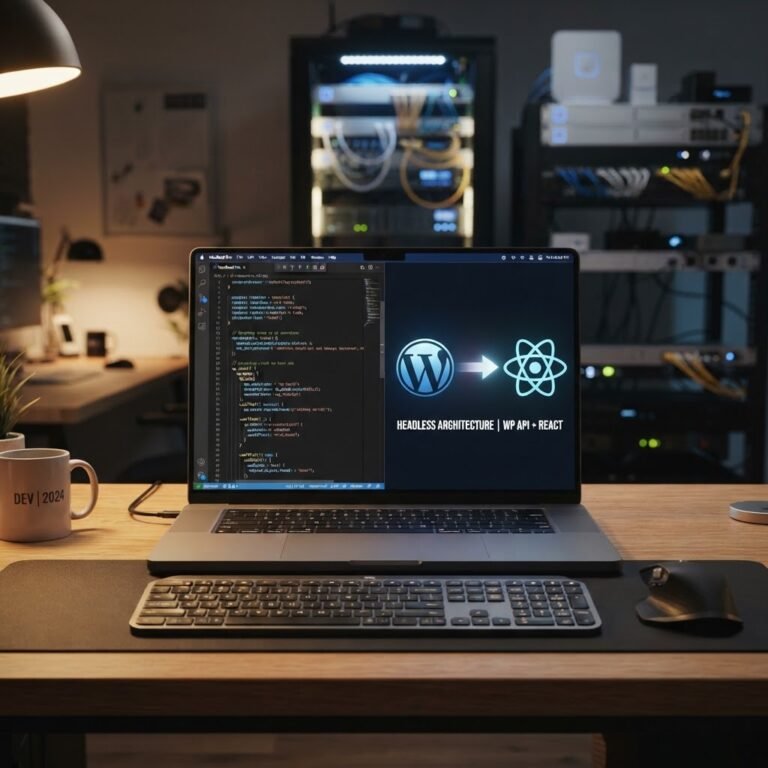
For those looking to maximize speed and flexibility, the headless WordPress approach might be the ticket. By decoupling the WordPress admin from the front-end display, you can leverage frameworks like React or Vue.js to build a lightning-fast storefront that updates dynamically.
It does require a bit of technical effort, but the benefits—faster loading times, a tailored user experience, and secure API-driven commerce—are well worth it if you can swing it.
Managing Payments and Security Outside the WooCommerce Ecosystem
Talking Points:
- Look for dedicated payment gateways.
- Third-party integrations for subscriptions.
- Ensuring encryption and security compliance.
Your e-commerce site is only as good as its payment and security solutions. If you’re managing payments outside of WooCommerce, make sure you’ve got reliable options in place. Services like Stripe and PayPal have extensive API documentation and also help with ensuring PCI compliance.
Further, having dedicated subscription management solutions can ease the burden of recurrences and reduce errors in billing and inventory management.
Performance Considerations: Keeping Your Site Fast and Stable
Talking Points:
- Regular performance assessments for e-commerce sites.
- Prioritize caching for better load times.
- Monitor database performance metrics.
Regardless of the e-commerce setup you choose, keeping your site quick is non-negotiable. Did you know the average WordPress page loads in 3.4 seconds? That’s not good enough when we consider that 53% of mobile users abandon sites after a three-second wait!
Perform routine assessments and prioritize caching strategies to ensure that nothing slows you down. Monitor your database performance metrics closely to avert the dreaded bottleneck.
When to Switch: Identifying the Right Time for a Custom Solution
Talking Points:
- Pinpoint when growth outstrips current capabilities.
- Look for signs of user frustration.
- Evaluate operational costs vs. benefits.
So when do you make the leap? If your business is outgrowing the constraints of your current setup—whether it’s WooCommerce or something else—it’s time to look for custom solutions. Look for increasing user frustration or constant adjustments on your end. Evaluating operational costs against anticipated revenue can provide clarity.
Avoiding the White Screen of Death: Best Practices for Custom Integrations
Talking Points:
- Ensure thorough testing before launch.
- Adopt proper backup strategies.
- Regularly update all themes and plugins.
We’ve all been there—one wrong line of code can send your site crashing. To avoid the dreaded “White Screen of Death,” implement best practices for custom integrations. This includes thorough testing before going live and ensuring a solid backup strategy.
Keeping all themes and plugins updated is crucial, as vulnerabilities increasingly arise from outdated code—97% of security issues come from plugins and themes, not the core!
Summary: Building a Bespoke Shop That Fits Your Needs
Talking Points:
- Custom solutions allow for tailored experiences.
- Emphasize flexibility and speed in design.
- Users have varied needs; cater to them.
By now, you’re probably realizing that while WooCommerce can be effective, it isn’t your only option. Custom solutions and lightweight plugins give you the flexibility and responsiveness you need to serve your unique customer base effectively. In the world of e-commerce, your options are wide, and ensuring a seamless experience for users can make all the difference.
Call to Action: Need Help With Your Custom Setup?
Your experience in running a WordPress site doesn’t have to feel like an uphill battle. At WP Site Deck, I’m here to help you find custom solutions tailored to your needs! Share your challenges in the comments, or shoot us a message. Let’s tackle this together!
Frequently Asked Questions
1. What are the best lightweight plugins for selling digital downloads on WordPress?
Some popular plugins include Easy Digital Downloads and Sell Digital Goods. They’re user-friendly and designed specifically for digital sales.
2. How do I implement API-driven commerce with WordPress?
You can leverage the WordPress REST API to connect with third-party platforms, allowing you to manage inventory and orders seamlessly. Plenty of tutorials are available online!
3. What’s the difference between a headless e-commerce approach and a traditional setup?
A headless setup separates the front end from the back end, enabling faster loading times and allowing the use of various front-end technologies for better performance.
4. Why do I keep encountering the White Screen of Death?
Typically, it’s due to plugin or theme conflicts, or issues related to PHP memory limits. Regular updates and testing can help mitigate this issue.
5. Is WooCommerce suitable for large-scale e-commerce businesses?
Yes, it can work for large catalogs, but be ready for heavy optimization and possible shift to customized solutions depending on your growth.