WordPress Security Hardening for Headless Sites: Essential Guide
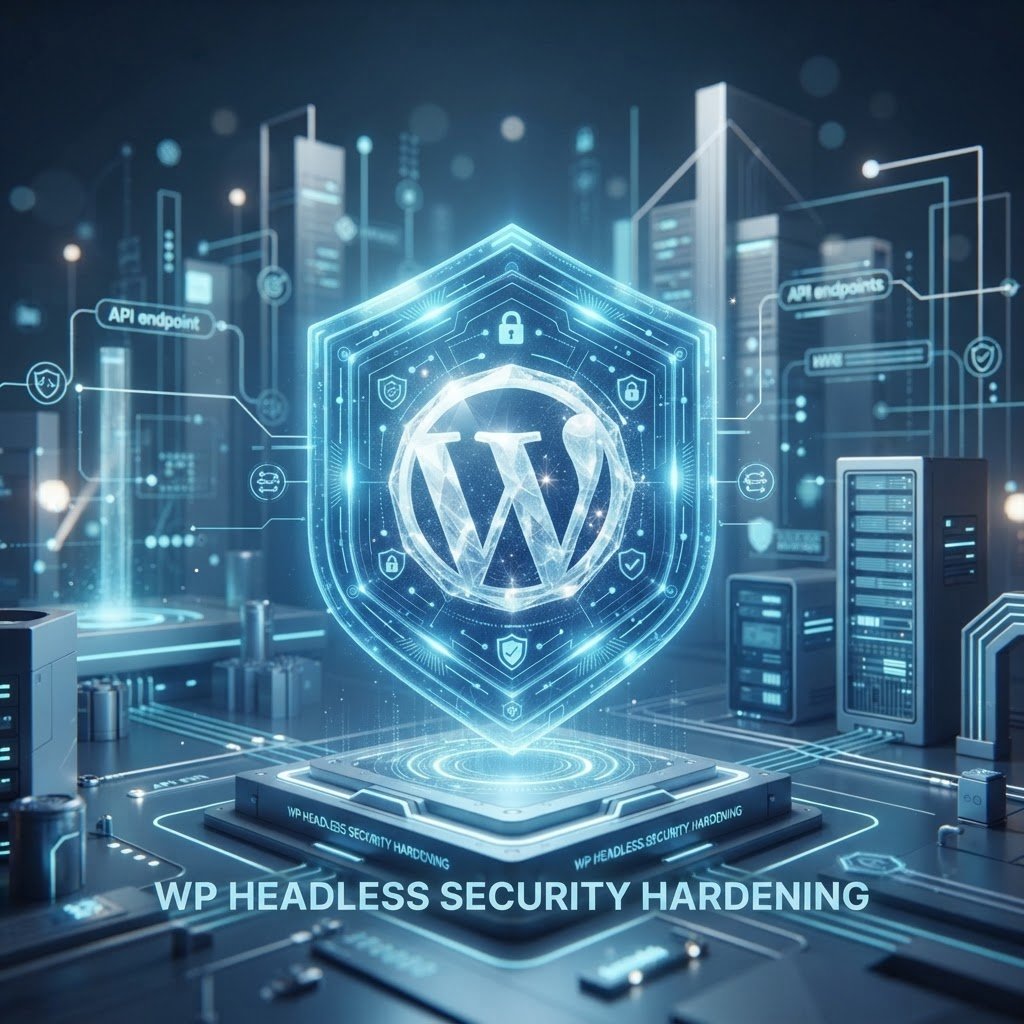
WordPress Security Hardening for Headless Sites: A No-Nonsense Guide
Talking Points:
* The shift from traditional themes to API-based architectures.
* Why your old security habits might be leaving you exposed.
* Identifying the new attack surface for decoupled sites.
I remember waking up at 3 AM to find a client’s site completely wiped. It turned out they had a basic plugin vulnerability that sat wide open for days. When you switch to a headless architecture, you lose that traditional theme-based target, but you gain a whole new set of worries. Security is not a set-and-forget task anymore.
API-based attacks have surged by 400 percent recently. Most people think their site is safe just because they moved the frontend away from the backend. They are dead wrong. We need to rethink how we protect the pipes between your data and your users.
Understanding the New Attack Surface
Talking Points:
* How decoupling changes the relationship between your frontend and database.
* The dangers of exposing the entire WordPress data structure.
* Recognizing why a decoupled site isn’t magically invincible.
Your site is now a two-part machine. One part serves data, while the other serves the user experience. You stripped away the standard theme layer, which is great for speed. However, your REST API is now a massive, glowing signpost for anyone looking to scrap your database.
Headless WordPress security best practices start with knowing where the doors are. In the past, you only worried about PHP injections in your theme files. Now, you have to worry about every single endpoint. If your API isn’t locked down, someone can just ask for your entire post history. It is that simple.
Securing the REST API
Talking Points:
* Restricting public access to endpoints that don’t need to be seen.
* Stopping data leakage before it happens at the database level.
* Using specific configurations to limit what the JSON API reveals.
Leaving the JSON API wide open is like leaving your front door propped with a brick. Most endpoints, like user lists or private post metadata, should never be public. You need to filter these out before they even get to the public. If you do not have a strong filter, you are inviting trouble.
Think of it like a bouncer at a club. You need to check the ID of every request coming into your API. If the request doesn’t need to be there, turn it away. This stops random bots from scraping your entire content library in one go.
Authentication Strategies for Headless Sites
Talking Points:
* The role of JSON Web Tokens in keeping connections secure.
* Avoiding common mistakes with token storage and expiration.
* Ensuring that only valid users perform privileged actions.
Authentication is where most people get tripped up. Using JWT is the industry standard for a reason. They keep your sessions stateless and fast. If you handle them wrong, though, you are handing out keys to the kingdom.
Always ensure your tokens are short-lived. If a token lasts for weeks, a hacker has weeks to mess with your site if they get their hands on it. Keep them temporary, rotate them often, and keep them away from the client-side storage where possible. Security is about limiting your blast radius.
Locking Down the Backend
Talking Points:
* Why hiding the wp-admin path is still relevant for headless.
* Managing user permissions in a decoupled environment.
* Preventing unauthorized access to your core settings.
Even in a headless setup, you still have the backend. People often forget that their admin dashboard is still sitting on a server somewhere. If you leave it at the standard path, automated bots will keep hammering your login page until they break it.
Move that login page to a non-standard URL. It won’t stop a targeted attack, but it stops the mindless ones that account for most of the noise. Combine this with strict IP white-listing. Only you and your team should be able to see that dashboard.
Network-Level Protection and WAFs
Talking Points:
* Why a Web Application Firewall is the first line of defense.
* How a CDN helps with DDoS mitigation and traffic filtering.
* Balancing speed and security for a decoupled architecture.
If you don’t have a WAF, get one today. Seriously. A good WAF filters out malicious traffic before it ever touches your server. It is like having a private security guard standing in front of your house stopping the bad guys at the gate.
Couple this with a solid CDN for your assets. This keeps your site fast while also providing a buffer against massive traffic spikes. When you move the work to the edge, you take the load off your main server. That is a win for both speed and protection.
Managing Environment Variables
Talking Points:
* The danger of hardcoding keys in your codebase.
* Using server-side configuration to keep secrets safe.
* Why secret managers are better than simple text files.
I have seen too many developers put API keys directly into their JavaScript files. That is just asking for a disaster. Anyone with a browser can view your source code and steal those keys in seconds. Never, ever store your sensitive data in your public repo.
Use environment variables. Keep your secret keys on the server, hidden away from the prying eyes of the frontend. If a key is leaked, rotate it immediately. Treat your keys like your physical house keys—don’t just leave them under the doormat.
Monitoring and Auditing
Talking Points:
* Using logs to spot weird traffic patterns early.
* How to set up alerts for suspicious API activity.
* Taking action when you see something that doesn’t look right.
If you aren’t watching your logs, you are flying blind. Your server logs tell you everything you need to know about who is knocking on your door. When you see a massive spike in requests to an endpoint, you should be alerted. Stop assuming everything is fine just because the site loads.
Set up automated alerts for failed logins or strange API requests. You want to know about a breach before it becomes a disaster. The goal is to spot the smoke before you see the flames.
Common Headless Vulnerabilities
Talking Points:
* The risk of outdated plugins on your headless backend.
* Dealing with CORS policy errors safely.
* Proper handling of database exposure to prevent leaks.
Even without a frontend, your backend still runs plugins. If those plugins are outdated, you have a massive hole. Most hacked sites are just sites running old, buggy code. Don’t be that person. Keep everything updated, even if you think you aren’t using the frontend parts of the plugins.
Watch your CORS settings too. If you allow too many domains, you might be letting someone else load your data into their own app. Only allow what you need, and nothing more. It is about keeping the connections clean and intentional.
Conclusion: Your Roadmap to Security
WordPress security hardening for headless sites is a mindset, not a checklist. You have to keep a close eye on your REST API and protect your keys like gold. While you’ve moved past the old theme threats, the new challenges are just as serious.
Start by locking down your endpoints and securing your authentication flows today. A little bit of work now saves you from massive headaches later. Have you had a security scare with your headless setup? Drop a comment and share what you learned.
Frequently Asked Questions
Can I just disable the REST API to stop attacks?
If you disable the REST API entirely, your headless site will stop working. Instead of disabling it, you should restrict access to it by filtering out sensitive endpoints.
Is a CDN enough to keep my backend safe?
No, a CDN is great for speed and some traffic filtering, but it doesn’t protect your backend from vulnerabilities within your plugins or API configurations.
How often should I rotate my API keys?
You should rotate your API keys whenever you suspect a leak or as part of a regular maintenance schedule, ideally every 90 days to stay safe.
Are JWTs secure enough for headless authentication?
JWTs are very secure if implemented correctly. You must ensure you are using short expiration times and protecting them from client-side theft.
Why does my headless site still need a WAF?
A WAF is essential to stop malicious bot traffic and common exploit attempts from reaching your server before they can try to attack your API endpoints.