Free WordPress Tutorial for Beginners 2026: Build Your Site
The Ultimate Free WordPress Tutorial for Beginners (2026 Edition)
Talking Points:
* The massive reach of WordPress in 2026.
* Why choosing the right platform matters for your peace of mind.
* Moving past the fear of technical failure.
Nearly half of the entire internet runs on WordPress right now. That is over 600 million sites. When I started building sites, I spent nights staring at a white screen at 2am, wondering if I had ruined everything. That feeling is the worst. But you do not need to be a developer to win here.
WordPress is the most popular way to build a presence online, holding a massive 59.9% share of the CMS market. You get full control over your data. That freedom is why we are here today. Let us get your site running right.
The Reality Check: Handling Your Site Frustrations
Talking Points:
* Acknowledging the stress of unexpected errors.
* Avoiding the common pitfalls of slow site speeds.
* Staying calm when things stop working.
Fixing thousands of WordPress sites has taught me one thing. Most problems are just simple misconfigurations waiting to be corrected. You might hit a database connection error or see a site crawl to a halt after adding too many images.
Do not panic. You have every fix at your fingertips once you stop treating your site like a black box. A slow site is often just a bad plugin or poor hosting. We can fix that together without needing a degree in computer science.
Phase 1: The Foundation – Choosing Hosting and Domains
Talking Points:
* Why cheap hosting often costs more in the long run.
* The difference between domain registration and web hosting configuration.
* Selecting a host that offers one-click installations.
Your site needs a home. Cheap shared hosting might save a few pennies, but it often leads to constant downtime. I always suggest looking for hosts that cater specifically to WordPress. They keep the servers tuned for speed.
When you pick your domain name, keep it short and memorable. Point your domain to your hosting server using simple DNS settings. Most modern hosts guide you through this configuration, making it a painless experience.
Phase 2: Getting WordPress Live
Talking Points:
* Understanding the difference between WordPress.org and WordPress.com.
* How to run the famous five-minute install.
* Why you should always opt for the self-hosted version.
Using WordPress.org gives you total control. WordPress.com restricts what you can do on lower plans. Always choose the self-hosted version for your project. It is the only way to own your site completely.
Most hosts include a button to install WordPress automatically. You just pick your admin username and a strong password. Click, wait thirty seconds, and your site is ready for you to log in.
Phase 3: A Walkthrough of Your New Dashboard
Talking Points:
* Identifying the main menu locations.
* Where to find your settings and content areas.
* Clearing away the noise so you can focus.
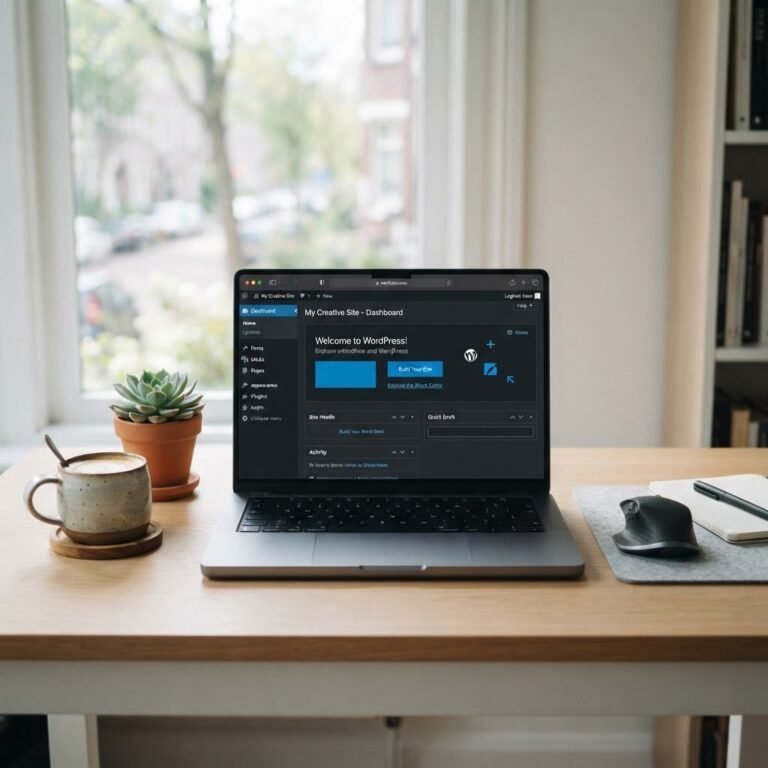
Your dashboard is your command center. You will spend most of your time in the Posts and Pages sections. Everything here is drag-and-drop or simple form-based input.
Ignore the dashboard widgets you do not use. You can drag them away or hide them in the screen options tab at the top. Keep it clean. A messy workspace leads to a messy site.
Phase 4: Five Critical Settings to Change Immediately
Talking Points:
* Fixing your permalink settings for SEO.
* Why site title and tagline matter for search engines.
* Keeping your reading settings private during construction.
Head to your settings tab right now. First, change your permalink settings to ‘Post name’. This makes your URLs readable and search-friendly. The default setting looks like a mess of numbers that nobody likes.
Check your site title and tagline. These appear in browser tabs and search results. Finally, if you are not ready to launch, check the box to discourage search engines. It keeps your half-finished work out of Google for a few days.
Phase 5: Design and Plugins Without the Headache
Talking Points:
* Installing themes that do not slow you down.
* Managing your plugin list to avoid conflicts.
* Warning against nulled themes and malicious code.
I see people install fifty plugins, and then wonder why their site is slow. Pick one solid theme and only the plugins you actually need. Less is more.
Never touch nulled themes or plugins found on shady sites. They are full of malicious scripts waiting to break your security. Stick to the official directory. There are over 61,000 free options to help you build whatever you want.
Phase 6: Mastering the Content Editor
Talking Points:
* Using the Gutenberg block editor effectively.
* Creating layouts without touching a single line of code.
* Why simple designs convert better than complex ones.
The block editor is powerful once you stop fighting it. Every paragraph, image, or button is a block. You move them up and down until the page looks perfect.
Keep your writing punchy. Use headings to break up long sections. If you find yourself wanting a fancy layout, stop. Readers want information, not a fireworks show of design elements.
Phase 7: Staying Secure and Fast
Talking Points:
* Managing your WordPress core updates.
* Setting up regular site backup strategies.
* Using SSL certificate installation for trust.
Security is not a one-time setup. It is a habit. Always keep your core software updated. It closes holes that hackers look for. An SSL certificate is mandatory these days, and most hosts provide them for free.
Backups are your insurance policy. If you break something, you click restore. You should have an automated system that saves a copy of your database every single day. Do not skip this.
Troubleshooting Common WordPress Errors
Talking Points:
* How to handle a database connection error.
* Dealing with a plugin that crashes your site.
* Where to find help when you feel stuck.
If you see a screen of death, do not panic. Rename your plugins folder via file manager. If the site comes back, you know one of your plugins is the culprit.
I have fixed countless errors just by clearing a cache or checking a file permission. You do not need to be a genius. You just need to follow the trail of clues.
Final Thoughts: You Are Now a Site Owner
Building your own site is a big achievement. You took the first step, and now you have the tools to keep it running. Take your time to explore, break things, and fix them. That is how you learn.
Does this feel like the right path for your specific project? Leave a comment below with your biggest hurdle so far. I want to hear about what you are building.