Headless WordPress vs. Traditional CMS: 2026 Guide
Headless WordPress vs. Traditional CMS (2026 Guide): Which Is Right for You?
I remember getting a frantic call at 2 AM. My client’s site was dead. A blank white screen greeted everyone who tried to visit. They had updated a plugin, and the whole thing crashed. That is the reality check every site owner fears. WordPress powers 42.8% of the web in 2026, but that popularity brings heavy baggage.
Talking Points:
* The evolution of CMS architectures in 2026.
* Why the traditional model remains a staple for many.
* How modern performance demands shift our choices.
Defining the Contenders: What Actually Changed in 2026?
The debate between headless WordPress vs. traditional CMS shifted hard this year. We used to care only about themes and plugins. Now, we care about how our site talks to AI tools. Over 60% of queries trigger AI responses. If your site structure fails to provide clean data, you vanish from those results. Architecture choice now dictates 20% of your SEO success. The rest comes down to how you optimize what you build.
Traditional WordPress: The Reliable Workhorse
Talking Points:
* Why traditional builds stay popular for non-developers.
* The ease of plugin compatibility for everyday users.
* Common pitfalls like database bloat and slow load times.
I love traditional WordPress. It works. You install it, add a theme, pick your plugins, and you have a site. You keep control over your database architecture without needing a degree in computer science. Traditional WordPress pros and cons start with speed of deployment. You can launch a professional site for $2,000 to $10,000. That is a fraction of the cost for high-end decoupled projects.
The White Screen Factor: Managing Traditional Bloat
Talking Points:
* Identifying why sites become sluggish over time.
* Strategies for cleaning up plugin-heavy installs.
* Balancing convenience with technical performance.
That 2 AM panic I mentioned? It usually happens because a plugin conflict broke the frontend-backend connection. Traditional setups merge everything into one file structure. When one part of the code breaks, the whole ship goes down. We see this with bloated databases too. The more plugins you add, the more queries your server runs. Your WordPress site performance optimization efforts often end up being a fight against your own toolset.
Headless WordPress: The Speed and Flexibility Play
Talking Points:
* How decoupled WordPress works with custom frontends.
* The power of REST API and GraphQL integration.
* Why this route appeals to brands seeking omnichannel delivery.
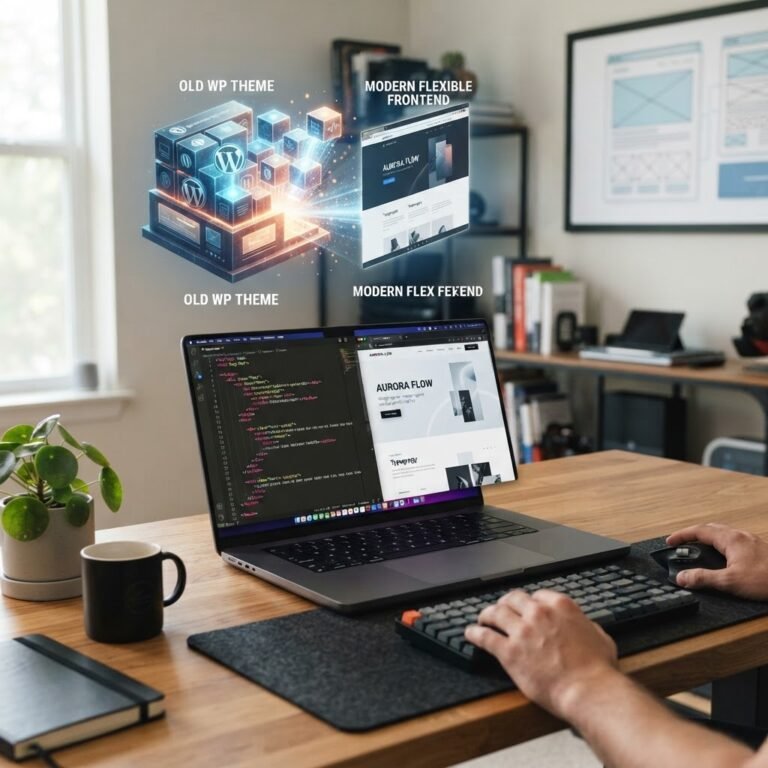
Decoupled WordPress explained is simpler than it sounds. You strip away the standard display layer. You keep the backend for your content team. Then, you connect a fast frontend framework like React or Vue. This is the headless WordPress experience. It is not for everyone. You lose standard plugin visual features like page builders or contact form previews. You have to build those from scratch. It is a technical trade-off.
Headless vs. Traditional: Side-by-Side Comparison Table
| Feature | Traditional WordPress | Headless WordPress |
| :— | :— | :— |
| Typical Cost | $2,000 – $10,000 | $15,000 – $50,000 |
| TTFB (Speed) | 200-800ms | 50-150ms |
| LCP Performance | 1.5-3.5s | 0.5-1.5s |
| Maintenance | Low/Moderate | High/Technical |
The Should You Switch? Decision Framework
Talking Points:
* Evaluating your internal technical budget.
* Identifying if you need an app-like experience.
* Assessing your long-term content goals.
Most folks do not need headless. If you are a small business owner, stick with traditional. You want to edit posts and manage your store without hiring a team of engineers. If you are building a custom web application with high performance needs, look at headless. The benefits of headless CMS show up when you need to serve content to apps, watches, or multiple web platforms. It is a tool for developers, not for casual bloggers.
The Hidden Costs of Going Headless
Talking Points:
* Budgeting for ongoing developer overhead.
* Managing the loss of standard CMS functionality.
* Handling custom redirects and form logic.
When you go headless, you lose standard WordPress magic. Plugins that handle redirects, security, or SEO metadata often stop working. You have to replace them with custom code. Your developer overhead will skyrocket. If you do not have a dedicated dev team, this will break your site faster than a bad plugin update. It is a significant investment in time and cash.
Performance Hacks: When Optimized Traditional Beats Half-Baked Headless
Talking Points:
* Cleaning up your database to improve speed.
* Using modern caching to simulate high performance.
* Why a fast traditional site beats a slow headless one.
I have seen headless sites that load slower than a well-tuned traditional site. A bad React integration will kill your LCP scores. You can achieve great performance in traditional WordPress. Use a solid host. Keep your plugins to a minimum. Use server-side caching. Do not jump to headless just to chase a speed score. Optimize what you have first.
Conclusion: Your Command Center for WordPress Mastery
Choosing the right path defines your project success. Headless offers speed and flexibility for complex apps. Traditional WordPress delivers a reliable, cost-effective base for nearly every other use case. Pick the tool that matches your technical reality, not just the one that sounds impressive. How has your experience been with site speed lately? Share your wins or your struggles in the comments below!
Frequently Asked Questions
1. Question: Is headless WordPress better for SEO? Answer: Not by default. SEO success depends on your optimization strategy, not just the architecture. Proper rendering is required to ensure bots see your content, which can be harder to manage in headless builds.
2. Question: Can I switch to headless later? Answer: Yes, but it is a major project. You would be rebuilding your frontend from scratch while keeping your backend data, which usually requires significant development work.
3. Question: Does headless WordPress require a specific host? Answer: Often, yes. You need a setup that supports Node.js or other frameworks required for your custom frontend, rather than standard shared hosting.
4. Question: Why is headless development so much more expensive? Answer: You are paying for custom development time. Since you cannot use standard themes or many plugins, everything from contact forms to menus must be custom-coded and integrated via API.
5. Question: Will my current plugins work in headless mode? Answer: Most plugins that affect the visual frontend will not work. Plugins that manage backend data like Yoast or ACF can still work, but you must manually integrate their data into your custom frontend via API.