Advanced CLS and INP Fixing: Master WordPress Web Vitals
Beyond the Basics: Advanced Tactics to Master CLS and INP for WordPress
I remember sitting at my desk at 3 AM with a cold cup of coffee. My client’s site was bouncing visitors like a trampoline. Google Search Console screamed about poor metrics. I felt that familiar pit in my stomach. The White Screen of Death is scary, but having a site that just won’t behave? That is a special kind of agony. I spent years learning how to fix these things. Today, you get the benefit of those sleepless nights.
Stop the Bleeding
Talking Points:
- Realizing Google uses field data from real users.
- Understanding the difference between lab tools and reality.
- Why your current fixes might be missing the mark.
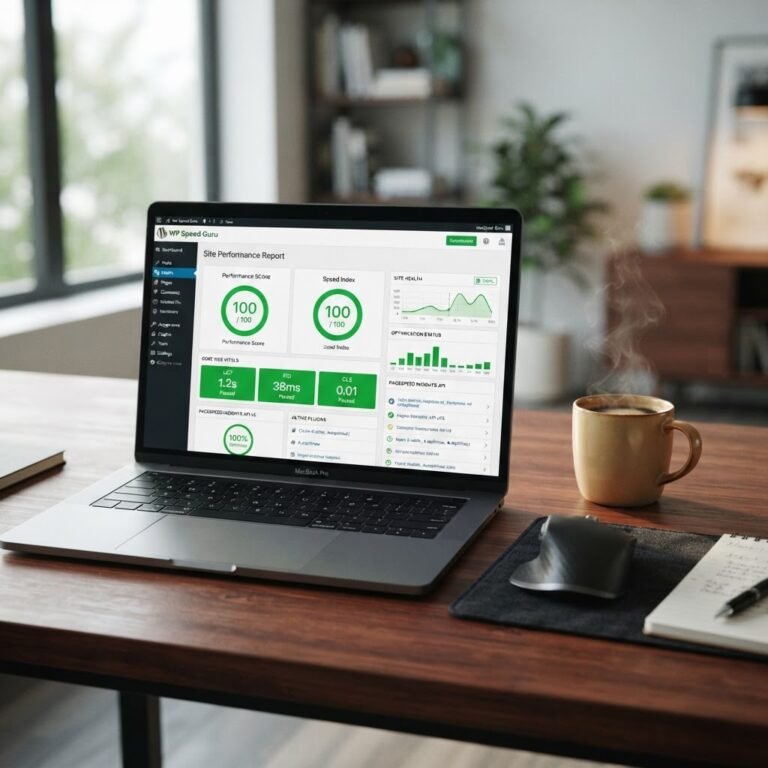
Google doesn’t care about your Lighthouse score if your real users are struggling. That 100/100 score on a test is vanity. Real speed is about how the site feels in the hand of a person on a cheap mobile phone. When 53% of mobile users leave if a page takes three seconds, you cannot afford to guess. Stop looking for perfect lab numbers and start watching the field data.
The Anatomy of the Problem: Why Your Fixes Aren’t Working
Talking Points:
- How browser rendering engines interpret your code.
- Why bloated themes cause performance headaches.
- Identifying the gap between what you see and what the server sends.
Many of us reach for a plugin the moment we see a performance warning. That is often a mistake. Plugins often add their own JavaScript which just slows things down more. You need to look at what the browser is actually doing when it renders your site. Is it struggling to paint the screen? Is the main thread blocked by a heavy script?
Deep Dive: Advanced CLS Mitigation
Talking Points:
- Setting explicit dimensions for media files.
- Handling dynamic content that shifts after load.
- Using CSS aspect ratio boxes for responsiveness.
Cumulative Layout Shift feels like the floor moving under your feet. It happens when images or iframes load without defined heights or widths. I fix this by using explicit CSS aspect ratio boxes for every image container. This forces the browser to reserve space before the image arrives. It stops that jarring jump when content suddenly slides down.
Taming the Font Flash: Preventing CLS via Typography
Talking Points:
- Hosting fonts locally to avoid third-party delays.
- Implementing font-display swap for cleaner rendering.
- Aligning fallback fonts to match the custom font size.
Typography is a classic culprit for layout shifts. You see the text swap mid-read and the whole paragraph jumps. I always host fonts on the same server to keep the connection local. Adding font-display: swap is a basic move, but pairing it with matched fallback font metrics is the real trick. Your users deserve a steady page.
Cracking the INP Code: Identifying the Culprits
Talking Points:
- What Interaction to Next Paint actually measures.
- Why long tasks are your worst enemy.
- Using performance profilers to catch the delay.
Interaction to Next Paint changed how we view responsiveness. It measures the latency of every single click or keypress. If your main thread is busy doing a heavy JavaScript calculation, your user is stuck waiting. I use browser dev tools to see what is running during those clicks. Usually, it is a plugin trying to track something you do not even need.
Advanced INP Fixing: Optimizing the Main Thread
Talking Points:
- Reducing long tasks by breaking up scripts.
- Delaying non-essential code execution until needed.
- Managing third-party scripts that block interaction.
If the browser is busy processing a script, it cannot respond to a click. This is main thread blocking at its worst. I break long tasks into smaller chunks so the browser can breathe between them. If a script is not needed to show the header or the main content, I push it back. You can also defer heavy analytics code so it does not hog the connection when a user first interacts with your menu.
The Hidden WordPress Speed Killers
Talking Points:
- How massive DOM sizes slow down rendering.
- The impact of excessive CSS rules on parsing.
- Why bloated plugin stacks hurt mobile performance.
We all love a good page builder, but they often leave a trail of messy code behind. A bloated DOM tree forces the browser to work much harder to calculate styles. I strip back the elements that are not necessary for the mobile experience. If an element does not help the user complete their task, get rid of it.
Automated Auditing: Your Maintenance Command Center
Talking Points:
- Setting up monitoring for core web vitals.
- Reviewing field data to catch regressions early.
- Creating a rhythm for performance checkups.
Performance is not a one-time chore. You need to keep an eye on it like you watch your bank account. Use the CrUX report to see what real humans are experiencing. If you see a dip, go back into your logs and find the last thing you updated. Staying ahead of the metrics saves you from a massive cleanup later.
Case Study: Before & After
Talking Points:
- Tackling a site with a failing INP score.
- The specific changes that brought the score under 200ms.
- Measurable growth in user engagement after the fix.
I once worked on a shop site that was failing every metric. It took five seconds to be responsive to a cart click. By removing three redundant tracking scripts and setting explicit aspect ratios on product images, we turned it around. The INP dropped from 600ms to 150ms. Conversion rates jumped immediately. It really does pay to get this right.
Conclusion: Your Site, Optimized
Fixing CLS and INP is less about technical magic and more about removing obstacles for your users. You do not need to be a developer to make these adjustments. Start small, track your field data, and do not panic when the numbers fluctuate. You are the master of your own site, and now you have the tools to make it faster. What has been your biggest headache with performance lately? Share your story below so we can get your site humming along again.
Frequently Asked Questions
1. How does INP differ from the old FID metric? INP looks at the whole life of an interaction, while FID only looked at the initial delay when a user first clicked.
2. Do I really need to get my score under 0.1 for CLS? Yes, Google treats 0.1 as the target for a good user experience and anything higher usually hurts your rankings.
3. Will a CDN fix my INP issues? No, a CDN mostly helps with server response time, not the execution of heavy JavaScript scripts on your main thread.
4. How do I know if my DOM size is too large? Use the browser console to run a performance audit or look at your Lighthouse report under the accessibility or performance tabs.
5. Can I fix these performance issues with just a plugin? While some plugins help, most performance issues require fixing the underlying code or the way your theme loads assets.