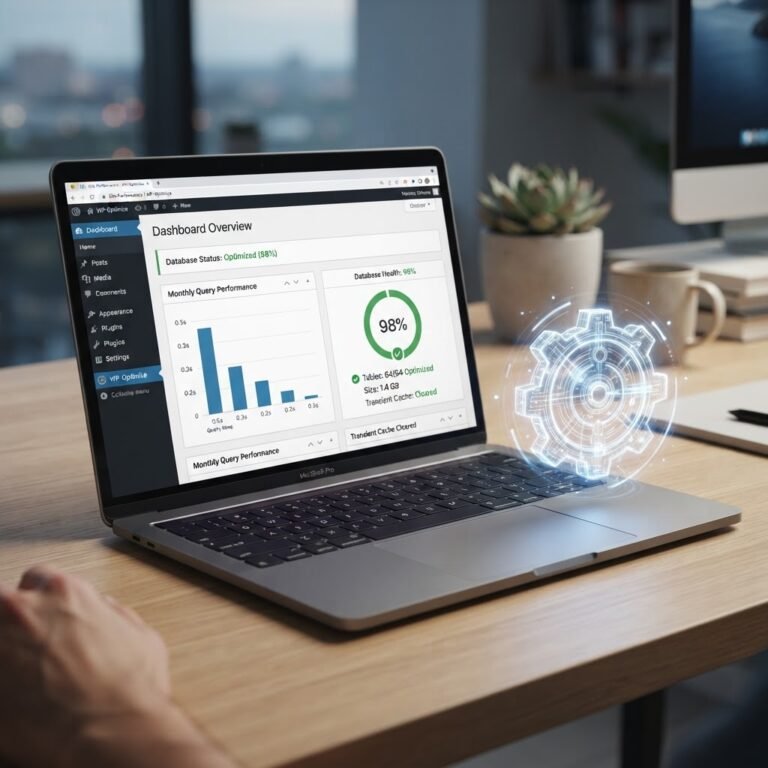
WordPress Speed Optimization Guide: Boost Load Times Fast
The Ultimate WordPress Speed Optimization Guide: Fix Your Site Today
Talking Points:
- Why waiting three seconds kills your traffic.
- The direct link between speed and your bank account.
- Moving beyond basic hosting myths.
I once sat at my desk at 3 a.m. staring at a white screen. My own site had crashed right after a big campaign launch. It felt like a total gut punch. I realized then that a slow site is just a broken site that hasn’t finished dying yet. We obsess over design, but if the page takes forever to load, nobody sees your work anyway. Speed is not just a technical metric. It is the gatekeeper of your success.
Think about your own habits for a second. If you click a link and nothing happens for four seconds, you leave. We are all impatient now. Data shows that 53% of mobile users bail if a site takes over three seconds. That is half your audience gone before they even see your header. When you fix your WordPress speed optimization, you stop burning money on wasted traffic.
The WordPress Health Check: Identifying Your Bottlenecks
Talking Points:
- Using tools to see what is actually broken.
- Finding the difference between lab data and field data.
- Prioritizing what to fix first.
I tell people to stop guessing why their site feels sluggish. You cannot fix what you do not measure. Start by running your URL through tools like PageSpeed Insights. Look past the big score at the top. Scroll down to the Core Web Vitals section. This is where Google tells you exactly where the friction lives.
Keep in mind that lab data is just a simulation. It is a controlled environment. Field data from real users is the truth. If your LCP is over 2.5 seconds, that is your first target. Sometimes it is a heavy image. Sometimes it is a bloated plugin dragging the whole thing down. Find the bottleneck, fix it, then measure again.
Choosing the Right Foundation: Hosting and Server Environment
Talking Points:
- Why shared hosting often fails at scale.
- The impact of server response time on your site.
- How PHP versions keep things moving fast.
Most people blame their theme for a slow site, but 37% of performance issues stem from bad hosting. I have seen clients pay for premium themes only to host them on a server that crawls. You want a host that understands WordPress architecture. If your TTFB is high, your server is struggling to talk to the browser.
Make sure your host supports the latest PHP versions. Moving from PHP 7.4 to 8.2 or higher gives an instant boost. It is like swapping an old engine for a modern one. Don’t settle for hosts that limit your resources to save pennies. Your site deserves a stable home.
Caching Strategies: From Page Cache to Object Cache
Talking Points:
- How caching creates a static snapshot of your pages.
- Why you need both page and object caching.
- Avoiding the plugin soup that slows sites down.
Caching is the single biggest win for most users. When someone visits, WordPress usually has to run dozens of database queries to build the page. That takes time. A good caching plugin creates a static HTML version of that page. The server just hands over that file instead of rebuilding it every single time.
Think of it like a waiter. Instead of running back to the kitchen to cook every order, they keep a few popular dishes on the counter. It is faster for everyone. If you have a dynamic site, you might need object caching too. It keeps your database queries in memory. Your site will feel snappy instantly.
Media Optimization: Serving Images and Assets Efficiently
Talking Points:
- Why massive images are the main performance killer.
- Using lazy loading to hide assets until needed.
- Modern formats like WebP versus old JPEGs.
Nothing makes me cringe more than a 5MB image on a mobile landing page. It is overkill. Most phones don’t need that much detail. Resize your images before you upload them. Use a tool to strip out hidden metadata too.
Lazy loading is a standard feature now. It stops the browser from loading images that are way down the page. They only load when the user scrolls near them. It is a smart way to save bandwidth. Your site will feel much lighter on mobile connections.
Database Hygiene: Cleaning Up Revisions and Transients
Talking Points:
- How old revisions bloat your database.
- Removing junk transients that pile up.
- Keeping your tables lean and mean.
Your database is the brain of your site. Over time, it gets cluttered with junk. Every time you save a draft, WordPress creates a revision. Do that a few hundred times and your database tables get huge. Searching through them takes longer than it should.
Clear out those old revisions. Delete expired transients that plugins leave behind. It is like cleaning your garage. You find more space and everything is easier to find. A lean database makes your backend feel faster, too.
Code Optimization: Minification, Deferring Scripts, and Removing Bloat
Talking Points:
- Why your theme might have too much junk code.
- How to defer non-essential scripts until later.
- Removing render-blocking resources that stop the show.
Themes are often packed with features you never use. If your theme loads CSS for a slider you don’t even have on your homepage, that is dead weight. Minification squashes your code files to make them smaller. It is like zipping a folder before you send it.
Watch out for render-blocking resources. These are scripts that tell the browser to stop everything else until they finish loading. Tell those scripts to wait. Defer them. Let the main content show up first. Users will thank you for it.
Advanced Performance: CDNs, Prefetching, and Database Tuning
Talking Points:
- The magic of a Content Delivery Network.
- Using prefetching to guess what the user wants next.
- Why database tuning is for the brave.
A CDN puts your content on servers all over the globe. If your main server is in New York and someone visits from London, the CDN delivers the files from a UK server. It cuts down on the distance data has to travel. This makes a massive dent in latency.
If you really want to fly, look into prefetching. You can tell the browser to start loading a link before the user even clicks it. It sounds like magic. It is just smart predictive behavior. Keep it simple, though, or you might confuse your own server.
Monitoring and Maintenance: Keeping Your Site Fast Long-Term
Talking Points:
- Creating a routine checkup schedule.
- Why new plugins are dangerous for performance.
- How to track trends over time.
Speed is not a one-time project. It is a habit. Check your metrics at least once a month. Did a new plugin you installed tank your speed score? If yes, dump it. You don’t need every shiny feature.
Keep your site lean. The fewer plugins you use, the safer and faster you are. If you see a trend of slowing down, act immediately. Don’t wait for the site to crawl to a halt. Small tweaks now save big headaches later.
When to Call in the Experts: Scaling for Enterprise Needs
Talking Points:
- Knowing when your site has outgrown DIY fixes.
- Why enterprise setups need custom server stacks.
- The cost of trying to do it all yourself.
Sometimes, you hit a wall. Maybe you have millions of hits a day. Maybe your database is just too complex for standard tweaks. That is when you need a team that lives and breathes performance. Scaling is a different game entirely.
Don’t be afraid to ask for help if you are bleeding traffic. It is cheaper to pay an expert than to lose sales every single day. Focus on what you do best. Let a pro handle the server architecture. You will be glad you did.
Conclusion
Fixing your speed is a journey of small, smart choices. Every byte you save and every query you optimize adds up. Your users get a better experience, and your business gets better results. Start with one thing today. Optimize your images or clear those database revisions. It doesn’t matter where you start, as long as you start moving. Have you tried any of these fixes and seen a jump in your scores? Share your experience in the comments below.
Frequently Asked Questions
1. Question: Is a CDN necessary for a small blog? Answer: While not strictly required, a CDN helps reduce latency for international visitors. It is an easy way to improve load times with minimal effort.
2. Question: Can too many plugins slow down my site? Answer: Yes, especially if those plugins load scripts on every single page. Keep your list short and remove anything you are not actively using.
3. Question: Should I use a caching plugin if my host already handles caching? Answer: Check with your host first. Some hosts provide server-level caching that is faster than any plugin. If they do, use theirs instead of adding more plugins.
4. Question: How do I know if my theme is slowing me down? Answer: Test your site with a basic theme like Twenty Twenty-Four. If your scores jump significantly, your main theme has too much bloat and might need replacing.
5. Question: Does image optimization really make a difference? Answer: Absolutely. Images are often the heaviest part of a page. Reducing their file size is usually the quickest way to see a visible change in load time.