How to Build a Headless WordPress Site: A Simple Guide
How to Build a Headless WordPress Site: A No-Nonsense Guide
I remember staring at my screen at 2am, sweat dripping down my back, waiting for a plugin conflict to resolve itself while my site sat there as a giant, blank white page of nothingness. We have all been there. You want speed, you want control, and you want to stop fighting with clunky themes that bloat your load times. That is when people start looking at the shiny, complex world of decoupled setups.
Escaping the Monolith
Talking Points:
* The limitations of traditional theme-based setups.
* Why your site feels sluggish despite optimizations.
* The moment you realize the backend and frontend are fighting each other.
WordPress runs about 43% of the internet. It is a beast. But that same size creates problems. When your frontend and backend are glued together, every request has to talk to the database before showing anything to your visitor. That is a lot of heavy lifting for a server. If you have ever felt like your site is crawling, you are seeing the result of that monolithic weight.
What Exactly is Headless WordPress?
Talking Points:
* Defining the separation of backend and frontend.
* How APIs replace themes for data delivery.
* Translating technical jargon into plain speak.
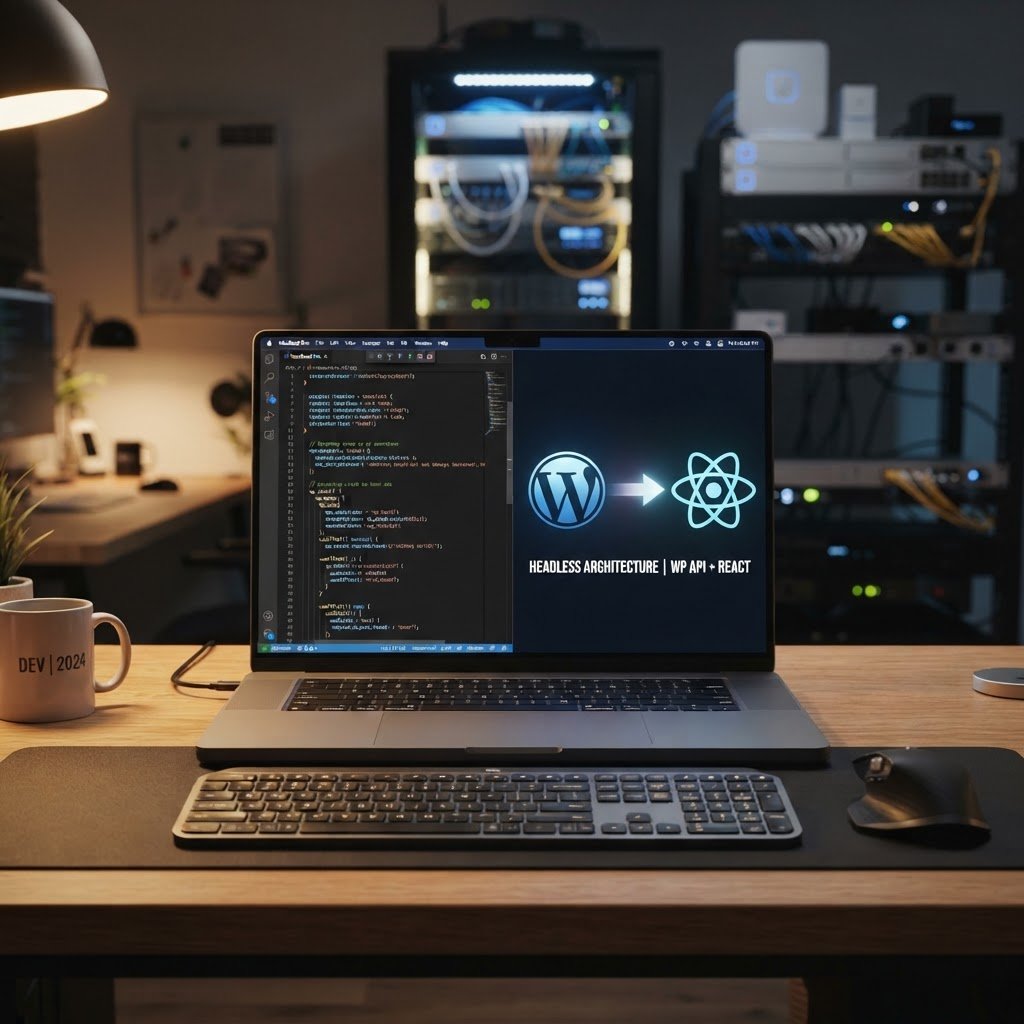
Think of your site as a house. Usually, the kitchen, living room, and plumbing are all jammed into one box. A headless approach rips the roof off. You keep WordPress as your kitchen, where you cook your content. But you build a completely separate house for the guests to sit in using a framework like React or Next.js. They talk to each other via a digital phone line called an API.
The Benefits: Why Bother De-coupling?
Talking Points:
* Potential for lightning-fast frontend performance.
* Increased security by hiding the administrative heart.
* Freedom to choose any frontend language you like.
Speed is the big winner here. One publisher I worked with saw their Time to First Byte drop from nearly a second down to under 90 milliseconds. That is huge. By serving static pages, you cut out the middleman. Plus, your admin area is hidden from the public, making it a much harder target for bots looking for weak entry points.
The Reality Check: When It Is Not the Right Move
Talking Points:
* The jump in development costs for maintenance.
* Why page builders often fail in this setup.
* The loss of convenience for non-technical users.
This is not a free lunch. You can expect to spend anywhere from $60,000 to $250,000 for a solid professional implementation. If you love your drag-and-drop page builders, stop. They won’t work here. You are effectively throwing away the visual editor and moving to code-based content rendering. It adds serious complexity to your life.
The Tech Stack: Choosing Your Head
Talking Points:
* Why Next.js has become the industry favorite.
* Comparing React versus Vue for your project.
* Selecting the right tools for your specific goals.
Next.js is the king of the mountain right now for a reason. It handles server-side rendering and static site generation better than almost anything else. If you are starting, pick a stack that has a big community. You will need the help when things break at midnight. Avoid niche frameworks until you have the basics down.
Phase 1: Preparing Your Backend
Talking Points:
* Cleaning up your existing WordPress installation.
* Setting up your content types for API delivery.
* Installing necessary plugins for data transformation.
You cannot just flip a switch. You need to prepare your data. This means cleaning out old plugins that modify headers or output HTML directly. You are turning your site into a data factory. The goal is to provide clean JSON responses that your frontend can consume without getting confused.
Phase 2: Connecting the Frontend
Talking Points:
* REST API versus GraphQL for data fetching.
* Avoiding over-fetching to keep things snappy.
* How WPGraphQL changes the game for developers.
Stop using the default REST API for everything. It is clunky and sends way too much data back to your client. Use WPGraphQL. It lets you ask for exactly what you need. By using this, you can cut your page payloads by up to 80% compared to standard REST calls. It is cleaner, faster, and much easier to debug.
Phase 3: Handling WordPress Features
Talking Points:
* Managing menus and navigation logic.
* How to handle images and media optimization.
* Rebuilding functionality like forms and search.
This is where most people get stuck. Your menu structure is gone. Your search bar is dead. You have to rebuild these features on your frontend using code. You are essentially building a custom application that pulls data from your database rather than letting WordPress decide how everything looks. It is a long process that requires careful planning.
Solving the ‘2am Headless Nightmare’
Talking Points:
* Implementing robust preview modes.
* Managing routing logic for complex structures.
* Keeping your build process from hanging.
If your content editors cannot preview their work, they will hate you. You have to build a custom bridge that lets them see changes in real-time. This is often the most painful part of the process. If you do not get this right, you will spend your nights manually refreshing caches and wondering why your updates are not showing up.
Security and Performance Gains
Talking Points:
* Leveraging a global content delivery network.
* Why your database is no longer a public target.
* Protecting your API endpoints from abuse.
By pushing your site to a CDN, you are physically moving your content closer to your users. Combine that with a protected backend, and your site is suddenly much harder to crash. Just make sure you are using proper authentication tokens. If you leave your API open, anyone can scrape your entire database in seconds.
Final Checklist Before You Go Headless
Talking Points:
* Verifying all your core data requirements.
* Checking for dependency conflicts in plugins.
* Having a rollback plan for the live transition.
Do not start this on a Friday. Have a staging environment that mirrors your live production exactly. If your SEO plugins, contact forms, or ecommerce logic do not have a clear path to being replaced, do not hit publish. Test every single link, every image, and every form submission until you are absolutely sure.
Final Thoughts on Modern Mastery
Moving to a headless architecture is a massive shift in how you run your online presence. You are trading convenience for control and speed. For high-traffic sites, it can be the perfect answer. For small blogs, it is usually overkill. Assess your needs carefully and do not be afraid to stick with a standard setup if it works well enough. If you have tackled this transition, tell me what went wrong in the comments—I know I have made my share of mistakes!
Frequently Asked Questions
1. Is headless WordPress faster out of the box? No. It only delivers performance gains if you implement proper caching, static site generation, and efficient data fetching strategies.
2. Do I need to be a developer to build a headless site? Yes. You need a deep understanding of JavaScript, APIs, and modern frontend frameworks to manage the architecture effectively.
3. Will my existing plugins work in a headless environment? Most theme-dependent plugins, especially page builders, will break or require complete custom reimplementation to function correctly.
4. How does headless impact SEO? It can be tricky. You must handle your own metadata, sitemaps, and redirects manually, as many SEO plugins rely on the theme layer to function.
5. Is it worth the cost for a small business? Usually not. The maintenance, development, and hosting requirements are significantly higher than traditional WordPress setups, making it hard to justify for simple sites.