WordPress AR/3D Integration: A Practical Performance Guide
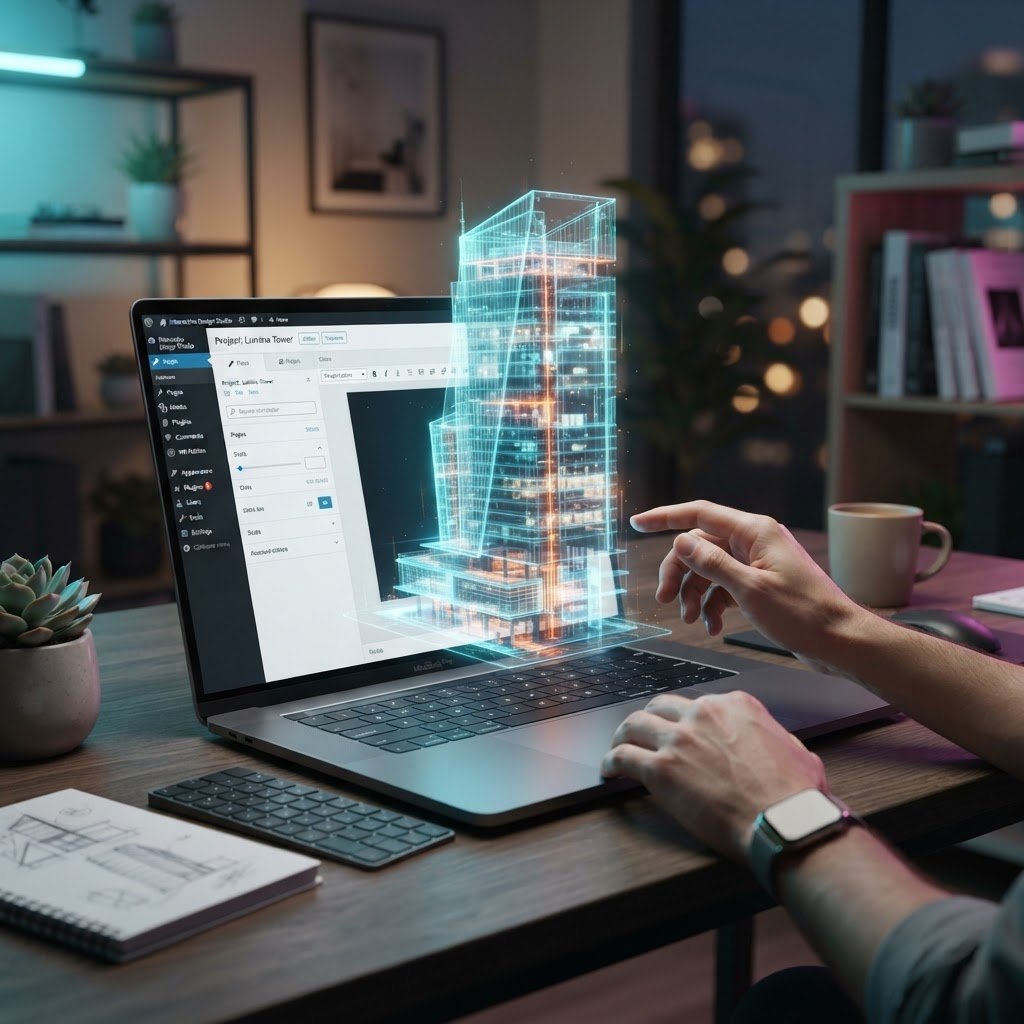
Volumetric & Immersive Media: A No-Nonsense Guide to WordPress AR/3D Integration
I once spent until 3am staring at a frozen screen because I tried to load a massive 3D file on a client site. My site was dead. My server was choking. The client was furious. Learning how to handle WordPress AR/3D integration shouldn’t cost you a full night of sleep.
Businesses using AR on their sites see 65% higher conversion rates than those sticking to flat images. If you ignore this, you leave money on the table. Let us fix that together.
The 3am Panic: Addressing Performance Fears
Talking Points:
- Why massive file sizes crash your server.
- Real-world impact of browser-based AR on site speed.
- Balancing visual quality with load-time constraints.
Too many people think adding 3D models means their site will be slow forever. That is wrong. The real problem is how you pack your assets. I have seen developers dump 50MB files onto a homepage and wonder why their traffic hits zero.
Keep your assets under 5MB if you want to keep your sanity. If you don’t, you face the White Screen of Death. I have fixed thousands of these sites, and the answer is always better asset management, not a bigger server plan.
Understanding the Landscape: 3D vs. Volumetric
Talking Points:
- Defining 3D models vs. volumetric video.
- Why format choices dictate cross-platform success.
- Choosing the right tech for your specific goals.
Think of a 3D model as a digital sculpture. You can rotate it and see it from any angle. Volumetric video is like a recorded hologram. It captures real human movement in space.
For most WordPress sites, 3D models are the standard choice. They are lighter and easier to manage. If you are showing off a product, go with 3D. If you need a virtual spokesperson, look at volumetric options.
Getting Started: Plugins for AR and 3D
Talking Points:
- Selecting stable WordPress AR/3D integration plugins.
- Avoiding bloatware in your theme files.
- Checking for WebGL support updates.
Don’t just install every plugin you see. Many are outdated traps. You want something that plays nice with glTF and keeps your code clean.
I suggest looking for tools that offer simple shortcode embedding. If a plugin forces you to use an external cloud host, ask why. You own your site. Keep your data on your server whenever possible.
Performance First: Preventing Site Bloat
Talking Points:
- The necessity of lazy loading for heavy media.
- Why browser rendering needs to be prioritized.
- Using asset compression tools effectively.
If your page takes ten seconds to load, your visitors leave. Period. Use lazy loading for every single 3D asset you host. This means the model only starts to load once the user actually scrolls near it.
Never forget about frame rate stability. If your site stutters, users feel sick. Test your models on mobile devices constantly. That is where most people will actually interact with your AR content.
Implementing glTF Models Successfully
Talking Points:
- Why glTF is the industry standard for the web.
- Handling the conversion from bulky source files.
- Setting up your WordPress media library for 3D.
I love the glTF format. It is lean, JSON-based, and meant for the web. It is the only format I trust for daily use. Never try to force an FBX file to work on your site; convert it to glTF first.
Most browsers love glTF because it uses WebGL support to run smoothly. When you upload these, ensure your server settings allow the file type. A simple change to your .htaccess file usually solves most upload errors.
Navigating WebXR and Browser Compatibility
Talking Points:
- The power of WebXR for app-free experiences.
- Why forcing app downloads ruins engagement.
- Dealing with Safari and visionOS updates.
Requiring an app download for an AR experience kills interest fast. 70% of people will bounce if you make them download an extra app. WebXR lets them stay in the browser, right where they are.
Safari on visionOS 2.0 now supports these standards. This is huge. It means your content is getting easier to view on every device, from Android phones to high-end headsets.
UX Design: Keeping Interactions Intuitive
Talking Points:
- Managing the user’s viewport effectively.
- Teaching users how to interact with 3D elements.
- Avoiding navigation traps on small screens.
Users do not always know they can rotate an object. Give them a visual cue. A simple “Tap to interact” icon works wonders. Keep your interface clean so the 3D model remains the star.
Design for the thumb. If your buttons are too small, your AR experience is a failure. Test your touch points as much as you test your rendering speeds.
Troubleshooting: Fixes That Work
Talking Points:
- Identifying broken WebGL contexts.
- What to do when models fail to render.
- Solving common CSS layer conflicts.
If you see a black box instead of your model, check your console logs. It is almost always a pathing error or a missing script. I have fixed this issue countless times by just checking folder permissions.
Do not panic. Most errors are small syntax mistakes. Look at your shortcode again. Is a bracket missing? Is the model file path correct? You can handle this.
Future-Proofing Your Strategy
Talking Points:
- Scaling your media library without losing speed.
- Why immersive content keeps users on your site longer.
- Staying current with W3C standards.
This technology is growing by 15% every year. By starting now, you stay ahead of your competition. Focus on content that adds real value to your brand.
Don’t just add 3D to look cool. Add it to show off product details or teach complex concepts. When the tech serves the user, the site succeeds.
Conclusion: Your Competitive Edge
Immersive media isn’t just a trend. It is how people will explore products and services from now on. By putting these tools into your workflow, you give your visitors an experience that feels personal and professional.
Start small. Test your load times. Watch your conversion numbers climb. Have you tried adding 3D content to your site yet? Share your results in the comments below.
Frequently Asked Questions
1. Question: Do I need to be a programmer to add 3D models to my WordPress site? Answer: Not at all. Many plugins allow you to embed models using simple shortcodes once you upload your files.
2. Question: Will adding 3D content hurt my SEO rankings? Answer: It only hurts if your site becomes slow. Use lazy loading and keep files under 5MB to maintain fast performance and good rankings.
3. Question: Why is glTF the best format for my WordPress site? Answer: It is an open, web-optimized standard that renders quickly across most browsers without needing heavy external processing.
4. Question: Can my customers see AR content on iPhones and Androids? Answer: Yes. Using WebXR standards allows you to show AR content directly in mobile browsers without requiring users to download an app.
5. Question: What is the most common reason 3D models fail to load? Answer: Most often, it is an incorrect file path or a server configuration that prevents the browser from reading the specific 3D file type.