WordPress Security Audit Checklist: Protect Your Site (2026)
The Ultimate WordPress Security Audit Checklist: Secure Your Site in 2026
I remember getting the call at 2:00 AM. A frantic client was staring at a blank screen. That white screen of death is the stuff of nightmares. I spent the next six hours cleaning up a mess that could have been avoided with five minutes of maintenance. Hackers do not care if your site is small. You are a target. They use automated bots to hit thousands of sites every single second.
Talking Points:
* The reality of daily hacks.
* Why regular audits prevent the 2:00 AM panic.
* Building a defensive mindset.
Most people think their site is safe until the moment it stops working. That is a dangerous gamble. WordPress powers over 40% of the web, which makes it a massive playground for bad actors. If you rely on luck, you will eventually lose. This wordpress security audit checklist is your shield. I have fixed thousands of sites in my time. I want to save you from that experience.
Why Your Site Needs a Security Audit Now
Talking Points:
* Understanding the rising threat landscape.
* The speed of modern exploits.
* Moving past passive security.
Statistically, 13,000 WordPress sites get hacked every day. That number keeps climbing. Last year, we saw a 42% jump in new vulnerabilities. If a bug hits, hackers usually exploit it within five hours. That leaves you zero time to react if you are not prepared. You cannot rely on default settings to keep you safe.
I see people assume their host does all the heavy lifting. Wrong. Standard hosting firewalls miss nearly 90% of specific exploits. You have to be the one to take charge. This is not about being a tech genius. It is about closing the doors you left wide open.
Phase 1: The Foundation – Backups and Hosting Environment
Talking Points:
* The necessity of off-site backups.
* Why hosting environment configuration matters.
* SSL certificates as the baseline.
You cannot build a house on a swamp. If your hosting environment is weak, everything else falls apart. Start with automated off-site backups. If your host only stores backups on the same server as your site, you are wasting time. If the server gets wiped, your backup goes with it. Keep your data somewhere else.
Check your SSL certificate validation. If that green padlock is missing, you are losing trust and leaving a window open for snoops. Think of your hosting as your base camp. Keep it clean. Keep it isolated. Never share hosting credentials unless you absolutely have to.
Phase 2: Authentication – Locking Down User Access and Roles
Talking Points:
* Hardening user permissions.
* Why admin accounts should never be named admin.
* Implementing two-factor authentication wordpress.
I see “admin” as a username way too often. Stop it. That is the first thing a bot tries during a brute force attack. Change your username. Use a password manager to generate something impossible to guess. Passwords alone are not enough, though. You need two-factor authentication for every account.
Review your user roles today. Does every author need administrator access? No. Give people the minimum access they need to do their job. If a contributor account gets compromised, the damage is limited. It is a simple step that stops a full-scale takeover.
Phase 3: The Software Audit – Core, Plugins, and Themes
Talking Points:
* Managing plugin security audits.
* Identifying deprecated plugins.
* The danger of outdated software.
Plugins are the biggest risk. About 91% of vulnerabilities live right there in the plugins you installed for convenience. I check my plugin list once a month. If a plugin has not been updated in six months, delete it. It is dead weight and a security hole.
Use a wordpress vulnerability scanner to check for known issues. You might have a plugin that looks fine but has a giant hole in its code. Get rid of anything you are not actively using. Less software means fewer doors to lock.
Phase 4: Database and File System Hardening
Talking Points:
* Changing the database prefix.
* Protecting the wp-config.php file.
* File integrity monitoring.
Your database is the heart of your site. If the prefix is the default one, hackers know exactly where to strike. Changing your database prefix is a quick way to confuse automated scripts. It is a minor change that adds a layer of friction.
Keep your wp-config.php file locked tight. This file holds your keys to the kingdom. If someone reads that file, they own your site. Use file integrity monitoring to watch for unauthorized changes. If a core file changes when you did not change it, you know something is wrong immediately.
Phase 5: Advanced Defense – Firewalls and Activity Logs
Talking Points:
* The role of a web application firewall.
* Keeping security activity logs.
* Brute force attack prevention.
A web application firewall is your bodyguard. It stands between your site and the bad stuff. It filters traffic and blocks the noise before it hits your server. If you do not have one running, install one today.
Turn on security activity logs. You need to see who is trying to log in and when. If you see ten failed attempts from an IP address in another country, block it. Brute force attack prevention is about spotting patterns and stopping them fast.
When to Call a Professional: Recognizing Complex Compromises
Talking Points:
* Signs of a deep breach.
* When DIY fixes fail.
* Avoiding re-infection.
Sometimes, you get in over your head. If you see weird files in your directory that you did not add, call a pro. If your site is redirecting users to random websites, you have a major problem. Trying to fix this yourself often leads to missing bits of malicious code.
I have seen people “fix” a site only for it to get hacked again an hour later. That is because the backdoor is still open. Professionals know where the hidden scripts hide. It is better to pay for a cleanup once than to lose your site forever.
Automating Your Security: Tools for 24/7 Monitoring
Talking Points:
* The power of automated scanning.
* Why 24/7 monitoring is the standard.
* Balancing convenience and security.
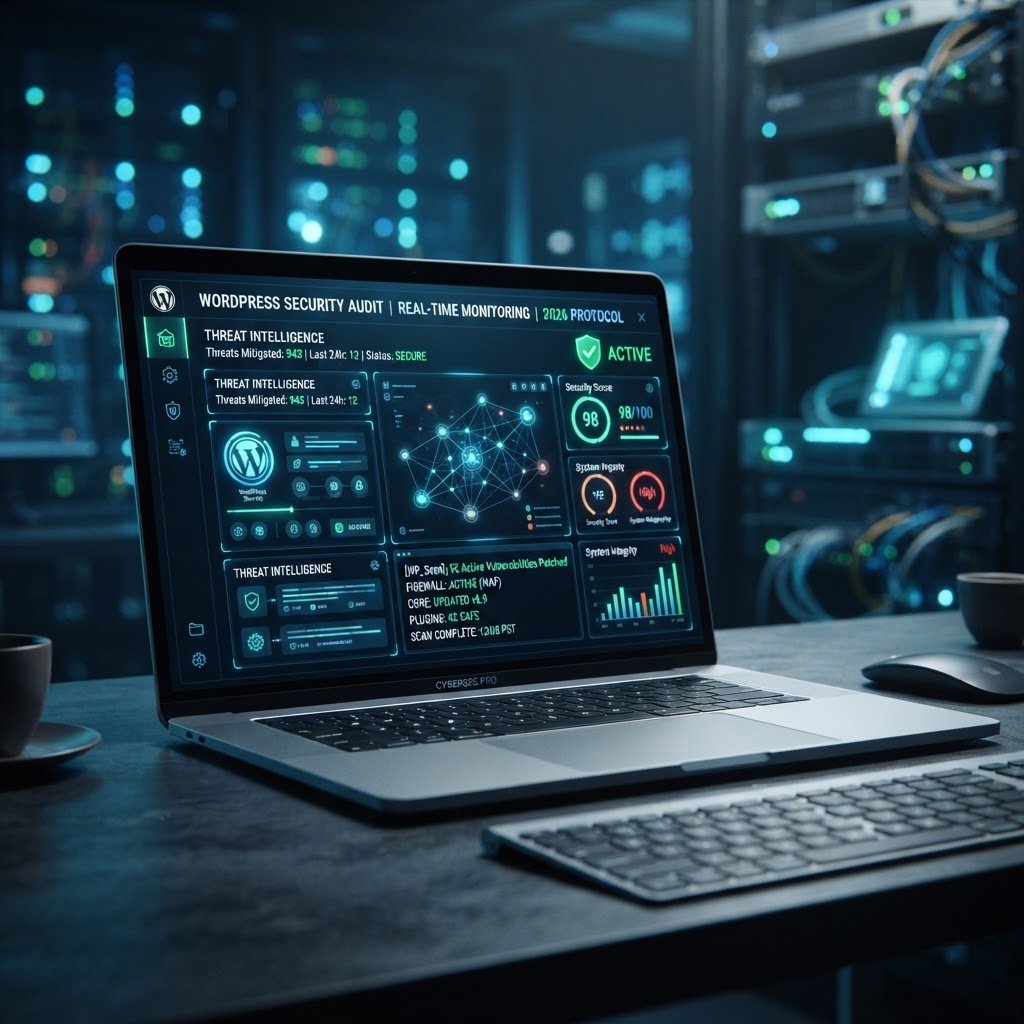
You cannot watch your site 24/7. Your tools should. Set up automated scans. If a file changes, you should get an email. If a plugin goes out of date, you should get a notification.
Use tools that check a malware signature database. These scanners look for patterns that reveal hidden threats. Automation keeps you ahead of the game. It lets you sleep at night without worrying about the screen of death.
The Aftermath: What to Do If Your Audit Finds Malicious Code
Talking Points:
* Staying calm during a hack.
* The process of malware removal.
* Recovering reputation and traffic.
Finding malicious code is a gut punch. Take a breath. Do not panic. Start by restoring from your last clean backup. If that is not an option, you need a wordpress malware removal guide.
Change every password. Update every plugin. Clear your cache. If you are not sure where the code is, do not guess. A wrong move can delete your content. Ask for help if you feel lost.
Your Command Center for Long-Term WordPress Mastery
Security is not a one-time chore. It is a habit. You do not just lock your front door once and leave it forever. You check it. You maintain it. Use this checklist to build a routine that works for you. Start with the basics and keep layering on protection.
Share your own security tips or a story about how you fixed a site crash in the comments below. We all learn by doing. Let us keep our corner of the web safe together.
Frequently Asked Questions
* Question: How often should I perform a full security audit? Answer: You should perform a basic check monthly and a deep audit every quarter to ensure your security posture stays strong.
* Question: Does a security plugin offer full protection for my site? Answer: No, a plugin is just one part of your defense; you still need backups, strong access habits, and a solid hosting environment.
* Question: What is the first thing I should do if I suspect my site is hacked? Answer: Stop working immediately, enable maintenance mode, run a scanner, and contact a security professional if you cannot identify the malicious code.
* Question: Can small blogs really be targeted by hackers? Answer: Absolutely; hackers use automated bots to scan the entire internet for vulnerable sites regardless of traffic or business size.
* Question: Why is my default hosting firewall not enough for security? Answer: Default firewalls are often too generic to catch specific WordPress exploits, which is why you need a dedicated web application firewall for better protection.