WordPress Security Best Practices 2026: The Ultimate Guide
WordPress Security Best Practices 2026: The Only Guide You’ll Ever Need
The 2am Wake-up Call You Never Wanted
Talking Points:
* The reality of the 2am panic when a site breaks.
* Why modern threats move faster than human response times.
* Moving past the myth that your site is too small to hack.
I still remember the first time I saw the white screen of death at two in the morning. My stomach dropped through the floor. I was certain I had lost years of work in an instant. That panic is real. It is sharp, cold, and entirely avoidable if you stop pretending that hackers only care about big-name brands. They don’t. They care about open doors, and right now, your site might be leaving the latch off.
In 2026 alone, we saw 333 new vulnerabilities pop up in a single week in January. That is not a typo. The math is simple, and it is brutal. There are roughly 13,000 WordPress sites getting hacked every single day. Most of these attacks are automated bots scanning for an easy way inside. They do not care who you are. They only care that your site is running a version of a plugin that has a known hole.
Why WordPress Security Best Practices 2026 Must Evolve
Talking Points:
* A 42% spike in vulnerabilities compared to last year.
* The dangerous reality of the five-hour exploitation window.
* Moving away from outdated “security through obscurity” tactics.
We saw 11,334 new vulnerabilities hit the WordPress ecosystem last year. That is a massive 42% increase. If you are still relying on a simple password and a hope that nobody notices you, you are playing a losing game. The old tricks just do not work anymore. You cannot hide your login page and expect to be safe. That is security through obscurity, and it is a total waste of time.
When a new hole is found, bad actors have an average of five hours before they start mass exploitation. If you are sleeping or busy, you lose. You need a system that acts while you are away. This is not about being a tech wizard. It is about setting up a digital fortress that handles the grunt work for you.
Your Hosting Is Your First Line of Defense
Talking Points:
* Why cheap hosting is the most expensive mistake you can make.
* Testing your host for real security features versus marketing fluff.
* How 87.8% of standard firewalls fail to stop targeted exploits.
I have seen people spend thousands on design but ten dollars on hosting. It is like buying a Ferrari and parking it in a war zone without a lock. If your host does not offer isolated environments, you are sharing air with hackers. One compromised site on your server can quickly become your problem. It spreads like a bad cold in a crowded room.
Most basic firewalls provided by budget hosts are useless. They let 87.8% of specific WordPress exploits fly right past them. You need a host that talks about server-level protection, not just free email accounts. Look for hosts that specifically handle database hardening and block suspicious traffic before it even touches your files. If they cannot explain how they do it, find a new home for your data.
Layer 1: Locking Your Front Door
Talking Points:
* The mandatory requirement for strong, non-SMS authentication.
* Setting strict user roles to limit damage.
* Why admin login protection saves you from brute-force nightmares.
Passwords are dead. Well, they are at least on life support. If you are still using “password123” or the same login you use for your gym membership, please stop. You need a unique, long string of characters for every single site. Use a manager. Don’t trust your brain to hold twenty passwords.
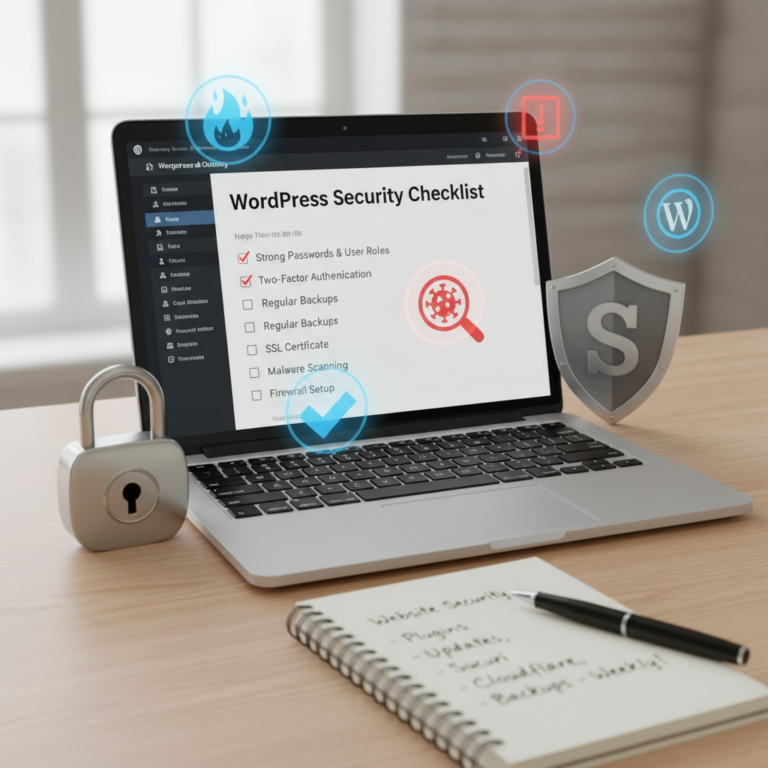
Two-factor authentication is the absolute floor, not the ceiling. Just do not use SMS. SIM-swapping is way too common to trust your phone number as a key. Use an authenticator app that generates a code locally. It works offline, it is fast, and it stops 99% of bots dead in their tracks. While you are at it, strip your user permissions back. Nobody needs admin access except you.
Layer 2: The Truth About Plugins and Themes
Talking Points:
* The statistic showing 91% of vulnerabilities live in plugins.
* Dealing with the 46% of vulnerabilities that have no official fix.
* Avoiding nulled software like the plague.
This is where it hurts. 91% of vulnerabilities in the WordPress world are hiding in your plugins. It is not WordPress core—core is actually rock-solid. It is that “super cool” slider plugin you installed three years ago and never updated. That plugin is now an open door.
If you find a plugin that has not been updated in a year, delete it. If the developer hasn’t patched it, the patch doesn’t exist. Nearly half of disclosed issues have no fix available at the moment they go public. That is your cue to get rid of it. And for heaven’s sake, stop using pirated or “nulled” themes. You are literally inviting the wolf into the sheepfold just to save fifty bucks. It will cost you thousands in recovery fees later.
Layer 3: The Digital Shield
Talking Points:
* Deploying a Web Application Firewall that actually filters traffic.
* Why automated malware scanning is non-negotiable.
* Integrating AI-driven threat detection to stay ahead.
A Web Application Firewall is the bouncer for your site. It looks at every visitor before they get into the party. It checks their ID, their behavior, and their intent. If they look like a bot trying to inject malicious code, the firewall kicks them to the curb. Without one, you are just waiting for the next automated scanner to find your weak spot.
Combine this with real-time malware scanning. You want an eye on your file system every minute of every day. If a file changes that you did not change, you need to know. AI-driven detection is great here because it spots patterns rather than just looking for known signatures. It catches the new threats before the experts even name them.
Hardening Your Files and Database
Talking Points:
* Restricting file editing access to prevent backdoors.
* Disabling PHP execution in upload folders.
* Maintaining clean database permissions.
Your site’s internal structure is its skeleton. You don’t want strangers touching your bones. You can disable the file editor directly in your WordPress config file. It is a simple line of code that stops an attacker from editing your theme files if they somehow get into your admin panel. It is a small change that saves lives.
Your uploads folder is another favorite playground for hackers. They upload a malicious script there, then run it. You can tell your server to just refuse to execute any script in that directory. It’s like putting a “No Running” sign in the hallway. It’s simple, effective, and keeps the bad stuff from executing.
Disaster Recovery: Your Ultimate Safety Net
Talking Points:
* Why automated off-site backups are the only true solution.
* Testing your restore process before the disaster hits.
* The difference between server backups and site-level backups.
I have seen sites hacked, defaced, and destroyed. The only people who didn’t cry were the ones with good backups. If you don’t have an automated, off-site backup, you are one bad day away from zero. Your host’s backups are nice, but keep your own. Put them on a separate cloud service.
When you do a backup, you have to test it. If you have never hit the ‘restore’ button, you don’t actually have a backup. You just have a file that you hope works. Spend an hour setting this up. Do it today. You will sleep better knowing that even if the whole world burns, your content is safe in a separate bunker.
When the Worst Happens: A Simple Recovery Guide
Talking Points:
* Keeping a cool head during a breach.
* Using an external scanner to identify the infection point.
* Resetting all credentials immediately after clearing the malware.
If you wake up and your site is redirected to a pharmacy in another country, take a breath. Panic makes you do stupid things. Do not start deleting files randomly. First, put your site in maintenance mode. Then, use a professional scanner to see what is actually infected.
Once you find the bad files, wipe the installation. Replace core files, plugins, and themes with fresh versions from the official source. Never try to “clean” a hacked file. Just replace it. Reset every single password, database user, and API key. Assume they stole everything you had stored in the system. Start clean.
Common Security Myths vs. 2026 Realities
Talking Points:
* Dispelling the “unhackable” plugin myth.
* Why WordPress core is not the problem.
* The shift toward active monitoring over set-it-and-forget-it.
I hear people say their plugin makes them “unhackable.” There is no such thing. Security is not a state of being; it is a state of action. You are either currently secure, or you are vulnerable. It changes every hour as new code is released and new bugs are found.
Some think WordPress core is the weak link. The data says otherwise. Core is built by hundreds of experts. It is tight. The problem is almost always what you add on top of it. Stop blaming the engine for the bad driving. Keep your eyes on the road, update your tools, and stay alert.
Conclusion: Your Site, Your Command Center
Your website is a powerful asset. It represents your time, your money, and your reputation. Don’t leave it wide open to the first bot that comes knocking. By taking these steps—locking your login, vetting your plugins, and setting up real backups—you are building a fortress that keeps your work safe.
Security is not a chore; it is an investment in your peace of mind. Start today. Pick one layer from this guide and lock it down. Once you finish that, move to the next. What is your biggest security concern right now? Drop a comment below and let’s talk about how to fix it.
Frequently Asked Questions
1. Question: Is it safer to hide my WP-admin login page?
Answer: While changing the login URL might stop simple bot noise, it is not a primary security tactic. A determined attacker can find the page easily. Focus your energy on multi-factor authentication and strong password policies instead.
2. Question: Can a free security plugin protect my site?
Answer: Free plugins offer a good starting point, but they often lack advanced features like real-time malware cleanup, advanced firewalls, and premium support. For a business site, the peace of mind offered by professional tools is worth the cost.
3. Question: How often should I run security scans?
Answer: Your security system should run automated scans in real-time or at least daily. Manual scans are not enough because threats appear and execute within hours of a vulnerability being disclosed.
4. Question: Does having an SSL certificate make me safe?
Answer: An SSL certificate is the bare minimum for any site. It encrypts the connection between the user and your server, but it does not stop hackers from exploiting vulnerabilities in your code or plugins.
5. Question: Should I uninstall all plugins to stay safe?
Answer: No, you just need to be ruthless with your selection. Keep only what you absolutely need, ensure they are updated, and delete anything that has not been supported by the developer in the last six months.