Beginner Guide to Headless WordPress: Break Free from Themes
Headless WordPress: A Plain-English Guide to Breaking Free from the Theme
Did you know that 73% of businesses are already using some form of headless website architecture in 2024? That’s more than half of the active WordPress community trying something new. Funny thing — I remember when I first heard about headless WordPress; honestly, I thought it was some tech-speak jargon or a fancy trend. But no, it’s a serious shift that’s reshaping how sites are built and served. And if you’re tired of that sluggish, buggy WordPress site that keeps giving you the White Screen of Death at 2 a.m., then this might just be your wake-up call.
The importance of understanding headless WordPress can’t be overstated. It’s not just a gimmick. It’s about freedom from the constraints of themes, page builders, and loading times that make your visitors leave faster than you can say “cache miss.” But before you jump in, it’s good to get a realistic picture of what headless really is, what it isn’t, and whether it fits your needs.
What Exactly Is Headless WordPress?
Talking Points:
- Decoupling the content from presentation
- Using APIs to connect content and frontend
- More technical but essential to grasp
Most folks think WordPress is a website, but really, it’s a content repository at its core. When we say “headless,” we’re talking about splitting that content management system (CMS) from the way it displays on your site. Instead of themes and PHP templates, content is delivered via APIs — think of these as digital pipelines fetching data in a language computers understand, like JSON. The frontend — what your visitors actually see — is built separately with modern tools.
Traditional WordPress vs. Headless: The Architecural Shift
Talking Points:
- Monolithic architecture vs. decoupled
- Flexibility and performance implications
- Developer skill requirements
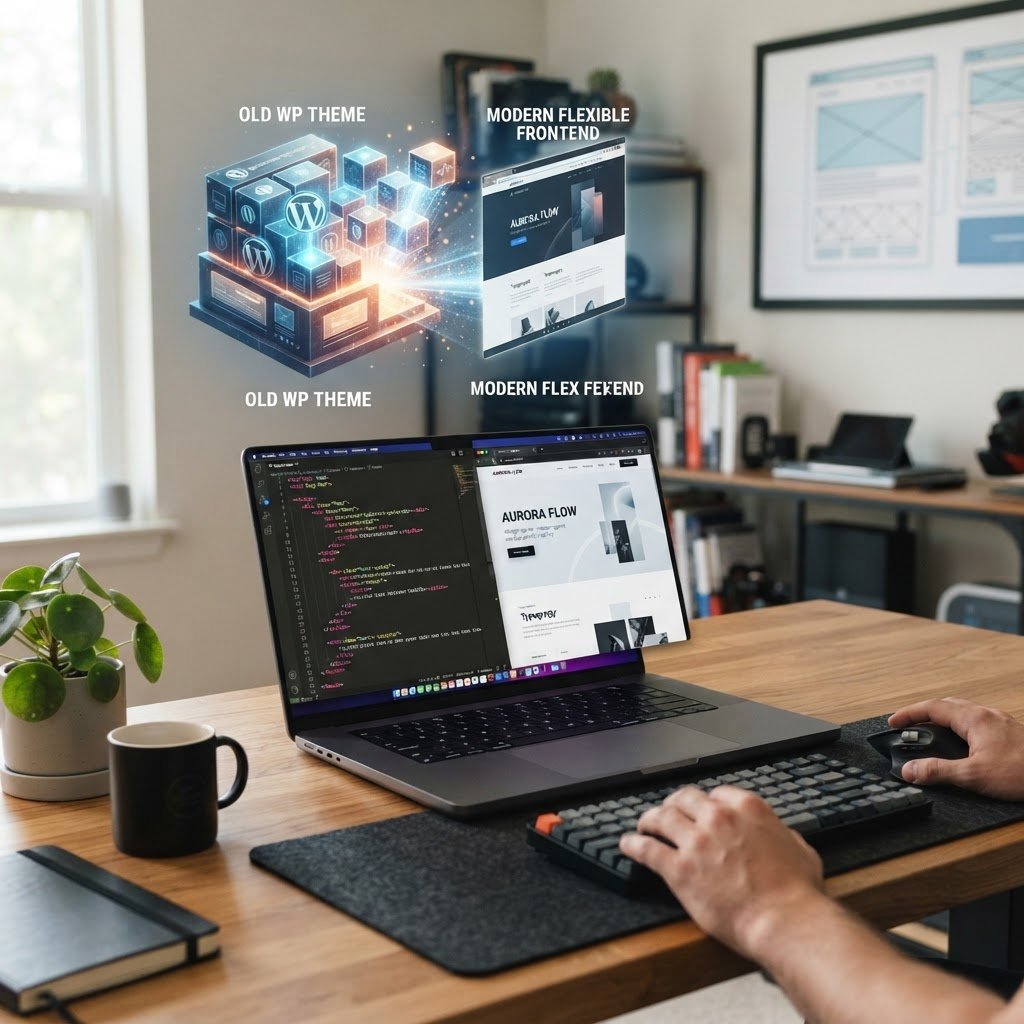
Traditional WordPress relies heavily on themes and plugins layered together. It’s like a big, cozy blanket — easy until it gets bulky and slow. Headless is like taking off that blanket, leaving just the skeleton — the core CMS — then building your custom design on top with frameworks like React or Vue. The payoff? Faster sites, better security, and total control over the user experience. But beware — this isn’t a switch for every beginner.
Why Consider Headless WordPress?
Talking Points:
- Speed: Faster load times with static site generation
- Security: Reduced attack surface
- Freedom in design and frontend tech
Speed can make or break your site’s success. Headless setups enable pre-rendered content that loads almost instantly, especially when distributed through a CDN. They also shrink your attack surface — less theme code, fewer vulnerabilities. And you’re no longer stuck with WordPress’s visual limitations; you can craft a totally unique frontend that wows.
The Reality Check: Is Headless for You?
Talking Points:
- Complexity and maintenance
- Cost and development effort
- Suitability for your project
Heads up: headless isn’t a plug-and-play upgrade. It’s a developer’s playground, requiring ongoing maintenance and a good grasp of APIs, frontend frameworks, and hosting. Plus, some traditional WordPress features like live customizer or WYSIWYG builders aren’t compatible out of the box. Your site might lose some familiar comforts.
Core Components of a Headless Setup
Talking Points:
- Backend Content Management System
- API Layers like REST or GraphQL
- The frontend application
Imagine building with three big building blocks. First, your WordPress backend — the content hub. Next, the API, which acts as the bridge. Finally, the frontend — maybe built with React, Vue, or Next.js. Your content flows seamlessly across these, giving you a custom, lightning-fast site.
Picking Your Stack: React, Vue, Next.js, and More
Talking Points:
- Popular frontend frameworks and tools
- Compatibility with WordPress
- Developer community and learning curve
React and Vue reign supreme in the headless world — tons of tutorials, plug-ins, and ready-made components. Next.js, built on React, adds server-side rendering and static export, making sites truly fast. Choose your tech based on your team’s skills, project needs, and your appetite for learning. Remember, consistency is key.
How to Get Started: Environment Setup for Beginners
Talking Points:
- Local development environment
- Basic API integration
- Deployment workflow
Don’t sweat it if you’re new. Start small. Install WordPress locally, activate WPGraphQL or REST API plugins, and set up a simple React app with Create React App or similar. Connect your frontend to your backend, fetch some posts, and display them. It’s just a few steps, then you’re in the game.
Essential Plugins and Tools: WPGraphQL & ACF
Talking Points:
- Extending WordPress capabilities
- Custom fields integration
- Simplifying data queries
WPGraphQL turns WordPress into a full-blown GraphQL API, making data fetching efficient and flexible. Pair it with Advanced Custom Fields (ACF) to manage custom content types. These tools save you from spaghetti code and make your site more scalable.
Pitfalls to Watch Out For
Talking Points:
- Breaking traditional features
- Increased complexity
- Potential performance pitfalls
Jumping to headless can break familiar WordPress features — no more live customizer, no more WYSIWYG editors. Also, if you don’t optimize your API calls, your site can slow down. Lazy-loading components and caching are your friends here. And let’s keep backups — headless sites can get tricky.
Is Your Site Ready for the Headless Leap?
Talking Points:
- Technical readiness assessment
- Size and complexity of existing site
- Your team’s skill level
Use WPSite Deck’s checklist: Can your team handle API development? Is your hosting environment flexible enough? If you’re running a small blog, maybe stick to classic WordPress. But if performance, security, and design freedom are your goals, headless might be the way to go.
Your Roadmap to Mastery
Jumping into headless WordPress isn’t just flipping a switch. It’s about understanding your website’s core needs, weighing the trade-offs, and gradually building up your skills. Think of it as learning to ride a bike — start with small projects, learn from mistakes, and soon you’ll be cruising.
Drop your questions or share your headless projects below. Remember, the more you experiment, the sharper you get. That’s how you turn from a beginner into a pro.
Frequently Asked Questions
Q1: Is headless WordPress faster than traditional?
A1: Not automatically. It depends on implementation. Proper setup with static site generation and CDN can boost speed, but poor coding or over-complication can slow you down.
Q2: Can I still use my favorite plugins?
A2: Not all. Many plugins that rely on themes or PHP templates will break. Focus on API-compatible tools like WPGraphQL and ACF.
Q3: Do I need a developer to set up headless WordPress?
A3: For basic projects, some technical knowledge helps. Complex setups might require experienced developers, especially for custom frontend work.
Q4: Is hosting more expensive?
A4: Not necessarily. You might need specialized hosting that supports Node.js or static site deployment, which can be more as a service but often worth it.
Q5: Will moving to headless affect my content management?
A5: No. Your content stays in WordPress, but how you display it changes. You get more flexibility but also more responsibility.
Ready to rethink your WordPress site? Share your experiences and tips below. Let’s keep the conversation going.