WordPress AI Site Builders: Fast Fix or Future Failure?
WordPress AI Site Builders: Fast Fix or Future Failure? (The Honest Truth)
Talking Points:
* The 2 AM site crash panic.
* Why automation feels like a lifeline.
* Separating hype from reality.
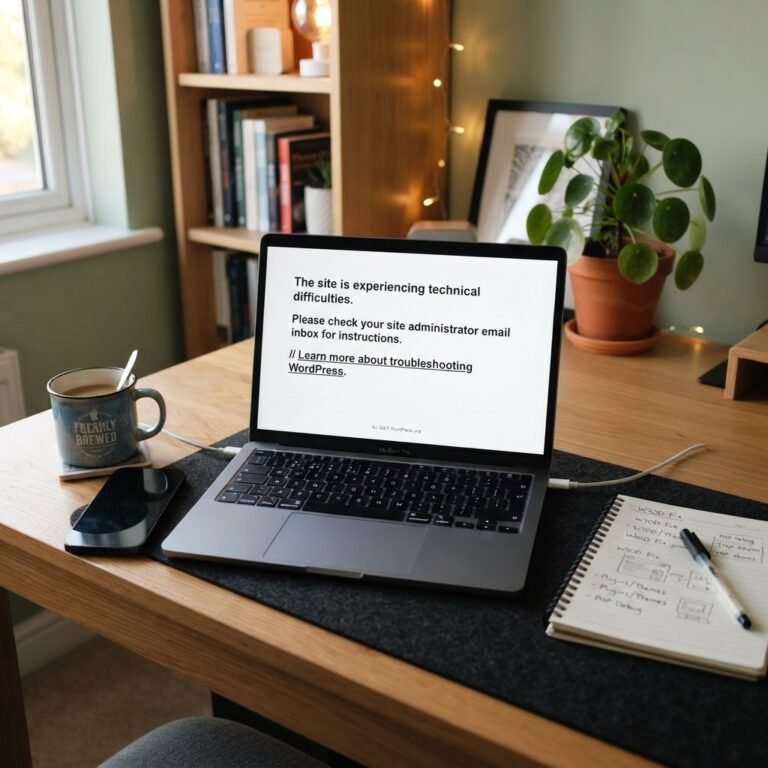
It is 2 AM. Your site is down. The screen is blank. I have been there, coffee in hand, staring at the screen while the world sleeps. That is when you see the ads for a WordPress AI site builder. They promise you can rebuild your entire site in seconds with a single prompt. It looks like a miracle. But wait. Let us talk about what these tools actually do before you delete your current database.
WordPress runs 41.2% of the web. With that much surface area, it makes sense that people want speed. AI website builder adoption grew 46% since 2025. You want a shortcut. I get it. But a shortcut that breaks your backend is just a long way home.
Understanding the WordPress AI Site Builder Ecosystem
Talking Points:
* Defining the three types of AI tools.
* WordPress.com native builders versus external platforms.
* Why structure matters more than just looks.
There are three main ways AI touches your WordPress site today. First, you have full-site generators that claim to do everything. Second, you have pattern generators for specific blocks or pages. Third, you have content helpers. Since 2025, WordPress.com has integrated native builders that generate structures and basic copy directly from prompts.
These tools are not all the same. Using a plugin that builds a layout is different from using a third-party app that exports code. If the code is not native, you end up with a mess. You need to know what you are installing. Most of these tools are just fancy first drafts. They do not understand your brand. They do not know your visitors. They just guess.
The Speed Trap: Why AI-Generated Sites Often Fail
Talking Points:
* The hidden cost of bloated code.
* How speed impacts your Core Web Vitals.
* Why your SEO might tank after an AI update.
Fast creation is not the same as a fast site. AI tools often generate heavy, bloated code that ruins your page speed. I have fixed sites where an AI builder added four extra libraries just to render a button. That is technical debt you do not need. Your Core Web Vitals will suffer.
When Google crawls your site, it looks for clean structure. If your site is loaded with unnecessary CSS and scripts, your rankings drop. Businesses using AI-integrated workflows report a 20% boost in traffic, but only when they refine the output. If you let the AI run wild, you are just asking for a slow site. Speed is a feature, not an afterthought.
The Compatibility Nightmare: When AI Breaks Your Stack
Talking Points:
* Plugin conflicts and dependency hell.
* The dangers of vendor lock-in.
* Why native WordPress code is safer.
I once spent six hours fixing a site that used an external AI builder. It looked pretty. But it stopped my contact form plugin from working. Why? The AI injected styles that broke the form’s z-index. When you use tools outside the WordPress ecosystem, you risk massive plugin compatibility issues.
Some builders trap you with vendor lock-in. They make it hard to export your site, keeping your data hostage. Always choose an AI WordPress plugin that plays nice with standard blocks. If it does not follow the WordPress way, walk away. Your theme customization should be predictable, not a guessing game.
When Should You Actually Use AI? (And When to Run)
Talking Points:
* Prototyping vs. production sites.
* Using AI for content, not code.
* Recognizing the signs of a bad tool.
Use AI for ideas. Use it for text drafts. Use it to build a wireframe for a page you plan to code properly. Never use it to build your entire foundation unless you want a headache. 93% of designers use AI for tasks like image generation or layout brainstorming. They do not use it to ship broken production code.
If a tool promises to automate WordPress site design with one click, be skeptical. If it asks for your root access, run. A good tool helps you work. A bad tool tries to do the work for you. Be the architect of your own site.
The Human-in-the-Loop Necessity
Talking Points:
* Why you must review every line of generated code.
* Maintaining brand voice across automated pages.
* The importance of manual refinement.
No AI understands your business like you do. I always recommend human-in-the-loop workflows. Use the AI to generate a section. Then, you rewrite it. You clean the CSS. You optimize the images for user experience. If you skip the human part, your site sounds like a robot.
Nineteen percent of businesses see revenue growth with AI, but that comes from better efficiency, not replacing humans. You are the filter. Your readers want to connect with you, not a machine. Never let a tool ship content you have not read.
WPSite Deck’s Verdict: Is It Ready for Prime Time?
Talking Points:
* The current limits of AI site builders.
* Why tested methods beat trends.
* The long-term view of your digital assets.
Is the best AI website builder ready to replace a developer? No. It is a tool. Like a hammer. You can use it to build a house, or you can use it to smash your thumb. Right now, these tools are great for testing designs. They are bad for long-term stability.
Stick to proven methods. Use reliable themes. Keep your plugin count low. Do not chase the shiny object if it risks your site’s health. I want your site to be around for years. Not just until the next plugin update breaks the AI code.
How to Fix an AI-Broken Site
Talking Points:
* Debugging plugin conflicts.
* Cleaning up unused code and scripts.
* Restoring from a clean backup.
If you are already in trouble, do not panic. First, disable the AI plugin. Check if the site loads. If it does, you have a conflict. Start deleting the extra styles that the builder injected.
If the site is still broken, go back to your last manual backup. Do not try to patch a sinking ship. If you do not have a backup, get one today. Your site is your business. Treat it with the respect it deserves.
Building for Longevity: Why Tested Methods Beat Trends
Talking Points:
* Focusing on clean, semantic HTML.
* The value of a stable, long-term theme.
* Why performance beats gimmicks.
Longevity is the secret to a successful site. Trends change. Algorithms change. Good code stays good. If you focus on semantic HTML and responsive design frameworks, you will not need AI to fix your site in six months.
Think about your site’s future. Do you want something built on shaky ground? Or do you want a house built on concrete? I choose concrete every time. You should too.
Your Site, Your Rules
Talking Points:
* Taking ownership of your WordPress journey.
* Staying informed as a site owner.
* Inviting community discussion and feedback.
You are the boss of your site. Don’t let an automated tool dictate your future. Use technology to help your workflow, but never let it take the wheel. If you have had a disaster with an AI builder, share your story below. Let’s learn from each other. If you need a hand fixing a broken site, check out our other guides here at WP Site Deck. We have seen it all, and we are here to help you get back on track.
Frequently Asked Questions
* Question: Can an AI builder handle custom WordPress development tasks?
Answer: Not well. AI is great for repetitive tasks or simple pages, but custom functionality needs human logic to prevent security holes and conflicts.
* Question: Will using an AI site builder hurt my SEO?
Answer: It can if the builder adds bloated code or creates duplicate content. Google prefers clean, original, and fast sites over mass-generated layouts.
* Question: How do I know if an AI builder is safe to use?
Answer: Look for builders that output standard Gutenberg blocks. Avoid tools that force you into a proprietary format or restrict your ability to edit the code manually.
* Question: Are there benefits to using AI for WordPress?
Answer: Yes, when used for brainstorming, generating boilerplate code for developers, or drafting content outlines. It saves time during the setup phase.
* Question: What is the most common mistake with AI site creation?
Answer: Relying on the AI to publish the final site without any manual review, leading to broken mobile responsiveness and poor performance scores.