WordPress vs. WordPress.com Difference: Which Should You Use?
WordPress vs. WordPress.com: The Plain-English Guide to Choosing the Right Platform
Talking Points:
* The 41.9% global web presence stat.
* My personal 2am server crash story.
* Why clarity matters for your site.
Nearly half of the entire internet runs on WordPress. That is 41.9% of all websites globally, and it is a staggering number to wrap your head around. I remember sitting at my desk at 2am, staring at a blank screen after a plugin update went sideways. My coffee was cold, my eyes were burning, and I was panicking about a client’s site. We have all been there. That stress is exactly why getting the foundation right matters.
Most beginners get confused by the two different versions of this platform. It feels like a trick question until you see the logic behind it. This guide skips the marketing fluff to help you make the right call for your project.
The Fundamental Difference: Software vs. Service
Talking Points:
* Defining WordPress.org as software.
* Defining WordPress.com as a commercial host.
* Explaining the underlying code match.
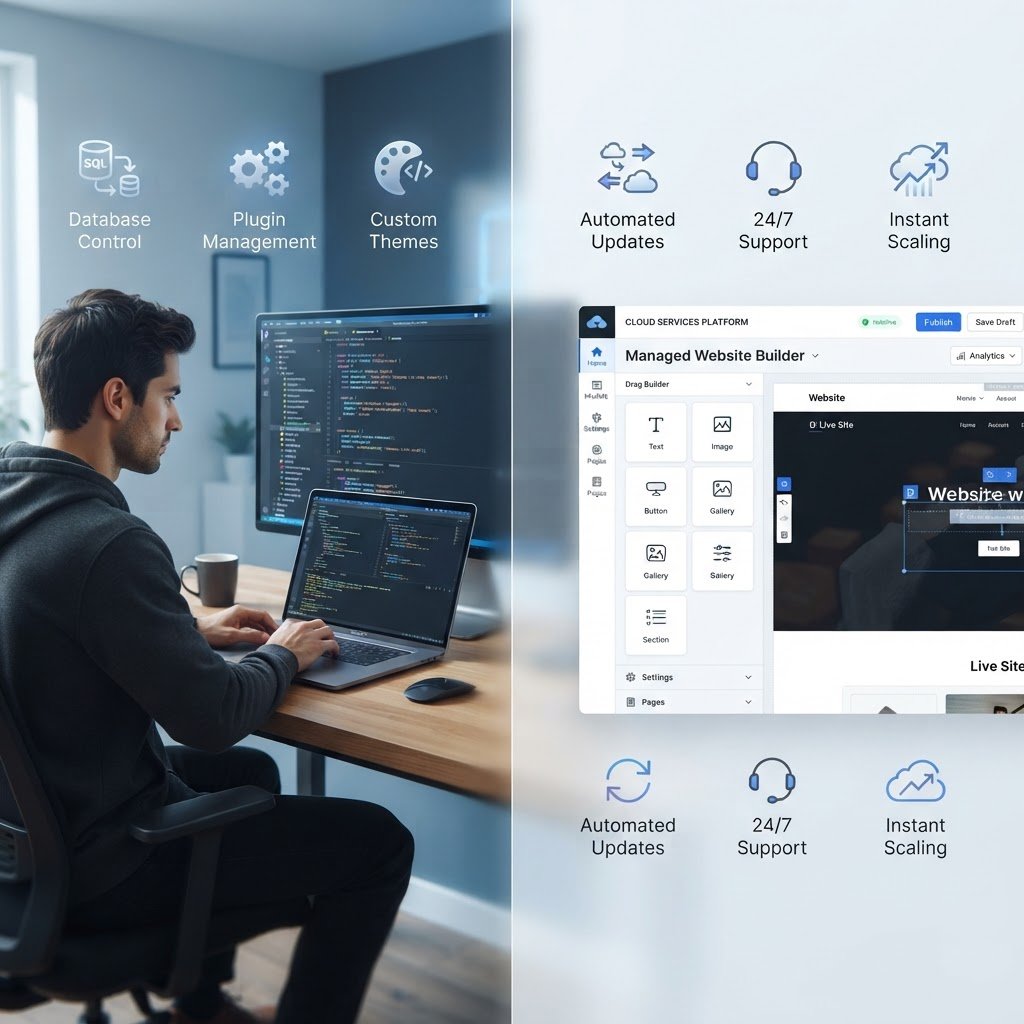
Think of WordPress.org like buying a plot of land and building a house yourself. You own the bricks, the plumbing, and the fence. You are responsible for every leak and every upgrade. This is the free, open-source software version.
WordPress.com functions more like renting a condo in a managed building. The landlord handles the pipes and the roof, but you cannot knock down walls or repaint the exterior without asking first. They are both built on the same core WordPress code, but the ownership of the technical infrastructure changes everything.
WordPress.org (Self-Hosted): Total Control
Talking Points:
* Owning your files and data.
* Total freedom with plugin installs.
* Why self-hosting is the standard for growth.
When you use self-hosted WordPress, you are the boss. You download the free software from the .org site and install it on your own server. You pick your own web hosting providers, which is huge for performance.
This gives you total freedom to upload custom code or install any of the 65,000 free plugins. If you want to build an online store, a membership site, or a simple blog, you are not held back by platform rules. Your data stays yours, and you can move it whenever you want.
WordPress.com (Hosted): The Managed Alternative
Talking Points:
* The benefit of zero maintenance.
* Limits on free versus paid plans.
* Who this model helps the most.
WordPress.com simplifies things by bundling hosting and software together. It is a commercial platform owned by Automattic. You just sign up and start writing.
They handle the updates, automated backups, and server security for you. This sounds great until you hit the paywall. The free plan limits your site customization and forces ads onto your pages. You have to move to a higher tier just to get access to advanced plugins or specific themes.
The Big 5 Comparison
Talking Points:
* Cost differences and hidden fees.
* Maintenance burdens for the user.
* Support accessibility and technical requirements.
Let’s break down the mechanics. Ownership is the biggest divide. With self-hosted sites, your domain name registration and hosting account are your responsibility. You own your site outright.
Cost is another factor. Self-hosted sites require paying for your own hosting, but you only pay what you choose. WordPress.com starts free but gets expensive as you add features. Plugin access is locked on lower tiers, and your ability to customize the design is strictly capped.
Identifying Your Needs: Choosing Self-Hosted
Talking Points:
* When you need total control.
* Why pros choose the self-hosted route.
* Scalability and expansion needs.
Pick the self-hosted route if you want to grow. If you plan to sell products, run a complex membership site, or need custom features that aren’t “standard,” this is the only way to go. You get access to every part of the site architecture.
It takes a bit more effort to learn server basics. However, you will never be locked out of your own site because of someone else’s rules. You keep your site speed optimized and your data under your own roof.
When WordPress.com Makes Sense
Talking Points:
* The low barrier to entry.
* Ideal for hobbyists and simple blogs.
* Hands-off maintenance appeal.
If you just want to write a journal or a family blog, keep it simple. WordPress.com is perfect for people who never want to see an error message. You do not have to worry about software updates or server security.
You sacrifice some flexibility for peace of mind. It is a trade-off. You give up the ability to tweak everything for the ease of having someone else do the heavy lifting.
Common Pitfalls: Avoiding Setup Mistakes
Talking Points:
* Forgetting to pay for domain renewal.
* Choosing the wrong host early on.
* Ignoring the importance of regular backups.
I have seen people lose their entire site because they forgot a domain renewal. Do not let that be you. Set up auto-renewal on everything. Use a reputable host from day one to avoid migration headaches.
Another mistake is picking the wrong theme early. Stick to clean, simple designs. You can always change the look later. Do not let flashy features distract you from the goal of building a functional site.
Migrating from WordPress.com to Self-Hosted
Talking Points:
* Why users eventually leave the platform.
* The process of exporting your content.
* Keeping your SEO and traffic intact.
You might start on the hosted version and outgrow it. That happens all the time. It is a sign of success. You can export your posts, pages, and media, then move them to a self-hosted installation.
This process is manageable with a bit of care. You move your content over and set up redirects to keep your visitors happy. It is a milestone that shows your site is actually going somewhere.
Finalizing Your Decision
Talking Points:
* Reviewing your goals for the site.
* The value of learning the system.
* Inviting your thoughts and questions.
Choose based on what you actually need right now. Do not overbuild, but do not under-deliver for your future self. The software is the same, but the path you pick dictates how you interact with your site every day.
I prefer the self-hosted route because I like to control the knobs. Maybe you prefer to let someone else handle the grease. What has been your experience with these platforms? Let me know in the comments below.
Frequently Asked Questions
Is it hard to learn how to manage a self-hosted WordPress site?
It has a learning curve, but the resources are vast. Most hosts offer one-click installations, so you can be up and running in minutes without needing to be a computer scientist.
Can I move my site if I start with a hosting company I do not like?
Yes. That is the beauty of owning your site files and database. You can move to different web hosting providers whenever you need a change.
Does WordPress.com restrict how I monetize my site?
Yes, the free and lower-tier plans often restrict or prohibit you from running your own ads or using specific affiliate marketing networks.
What are the WordPress hosting requirements for a self-hosted site?
Most modern hosts meet the requirements easily. You generally need a server running PHP and MySQL, which almost every provider offers as a standard package.
Will I lose my content if I decide to switch platforms later?
Not if you do it right. You can export your data and import it into a new setup, though you might need to reconfigure your design settings.